Excavation & Sitework
Documentation App
Document locate marks, open trenches, and erosion control: timestamped, geotagged proof of work that's about to disappear under backfill.





Trusted by 1,200+ field contractors across the trades.
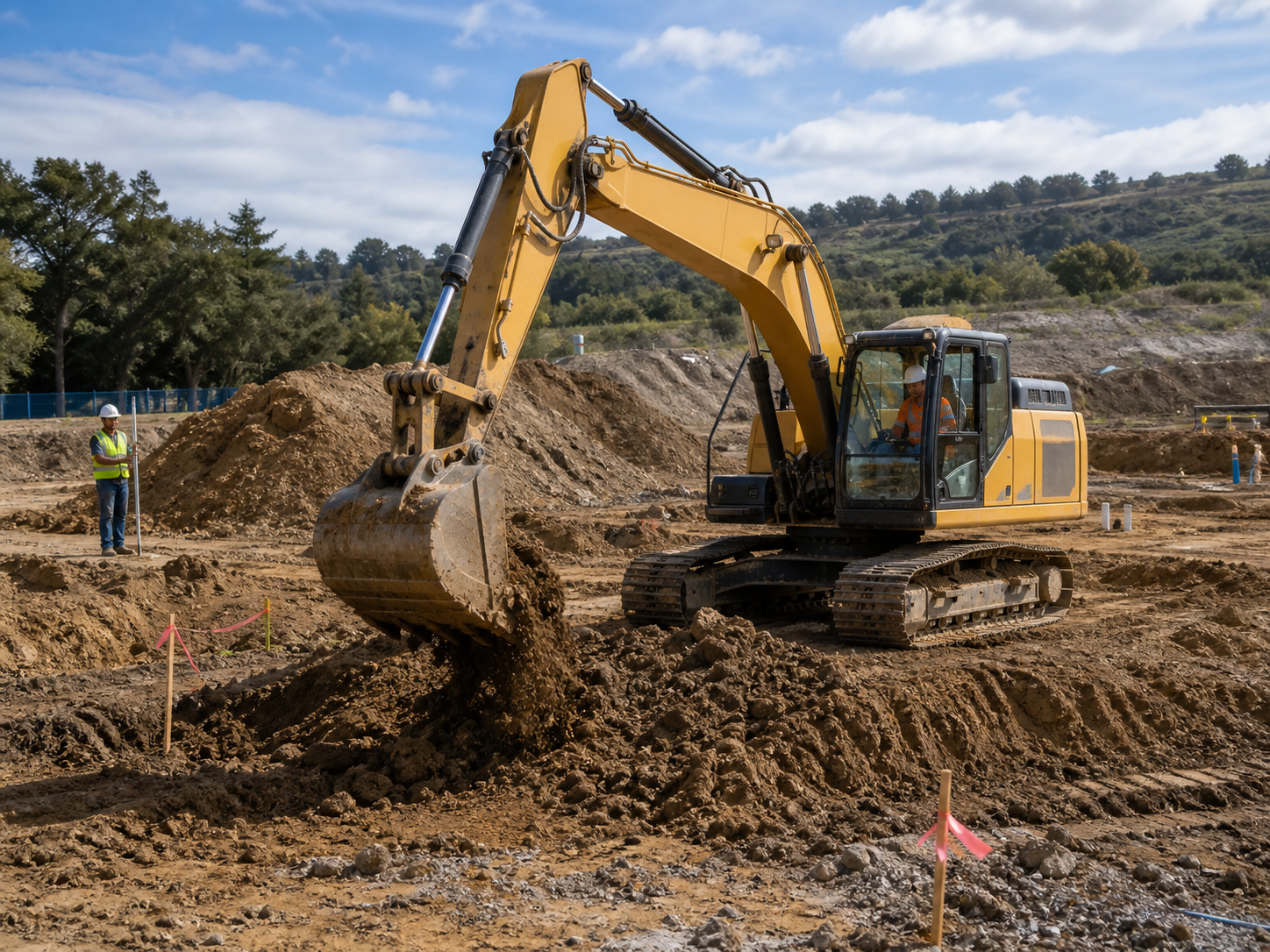




Without Documentation, You're Exposed
Sitework contractors bury their evidence every day. Here's what's at stake when it isn't photographed first.
Utility Strike Liability
You hit a line and the utility says the locate marks were accurate. Without photos of the marks (or missing marks) before the bucket went in, you're paying for the repair, the downtime, and the fine — even when the locate was wrong.
Buried Work You Can't Re-Prove
Trench depth, pipe bedding, compaction lifts, geotextile placement: all of it disappears under backfill. When the GC questions your work or a line settles a year later, you can't dig it up to prove it was right.
SWPPP & Erosion Control Fines
Stormwater inspectors show up unannounced, and a missing silt fence photo log can mean five-figure fines. Erosion control documentation scattered across operators' phones won't save you during an EPA or state audit.
How It Works
Three simple steps to organized, professional documentation.
Document Before You Dig
Capture locate marks, existing site conditions, adjacent property, and pre-construction grades before the first bucket. Every photo automatically timestamped and geotagged.
Organize by Phase
Photos grouped by job and categorized by stage: locates, clearing, cut/fill, trenching, bedding, backfill, compaction, erosion control. Buried work stays provable.
Report & Share
Generate professional PDF reports in minutes. Send to GCs, engineers, and inspectors straight from the cab.
Built for Excavation & Sitework Contractors
Every feature designed to save you time and protect your business.
Timestamped, Geotagged Photos
Every photo captures date, time, and GPS automatically — location matters more in sitework than any other trade. Prove what was where before it was buried.
Sitework Stage Categories
Organize photos by phase: locates, clearing and grubbing, mass excavation, trenching, bedding, utilities, backfill, compaction, fine grading, erosion control.
Inspector & Engineer Reports
Generate PDF reports for compaction verification, SWPPP logs, and buried utility records. Professional documentation for engineers, inspectors, and the GC's closeout file.
Automatic Cloud Backup
Every photo backed up automatically. Operator turnover and broken phones don't erase your trench records.
Share with GCs & Inspectors
Send reports and photos to general contractors, project engineers, and stormwater inspectors via email or text link, straight from the site.
Built for Mud, Dust & Dead Zones
Fully offline capable — most dirt sites have no coverage. Capture with gloves on, organize from the cab, sync when you're back in service.
Real-World Use Cases
See how excavation & sitework contractors use Fieldpost on every job.
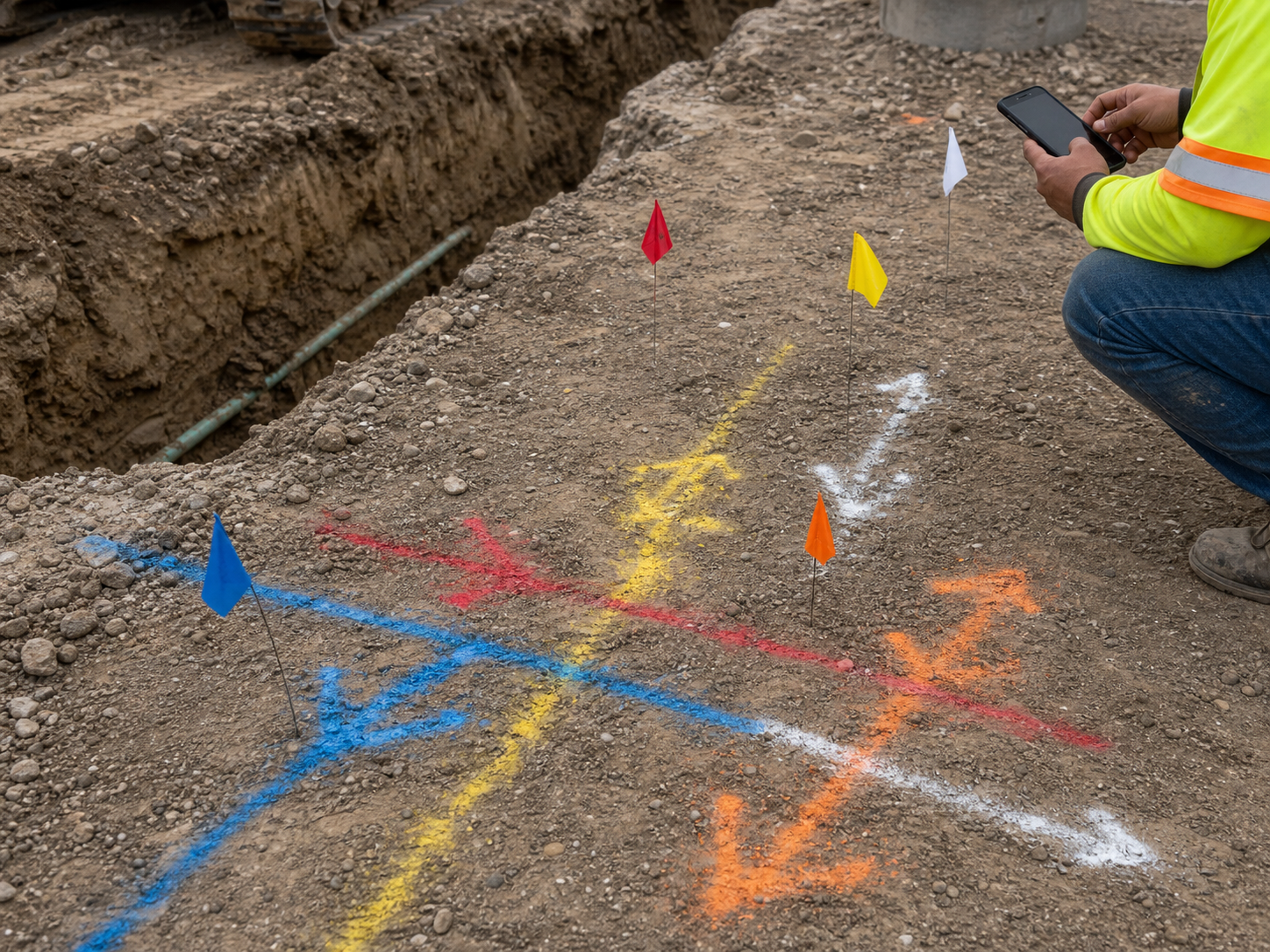
Utility Locate Documentation
Before trenching, photograph every locate mark — paint, flags, and the areas with no marks at all — with the dig area in frame. If you strike an unmarked or mismarked line, your timestamped, geotagged photos shift liability to the locator where it belongs. One photo habit per dig site is the difference between a covered incident and a six-figure repair bill on your policy.
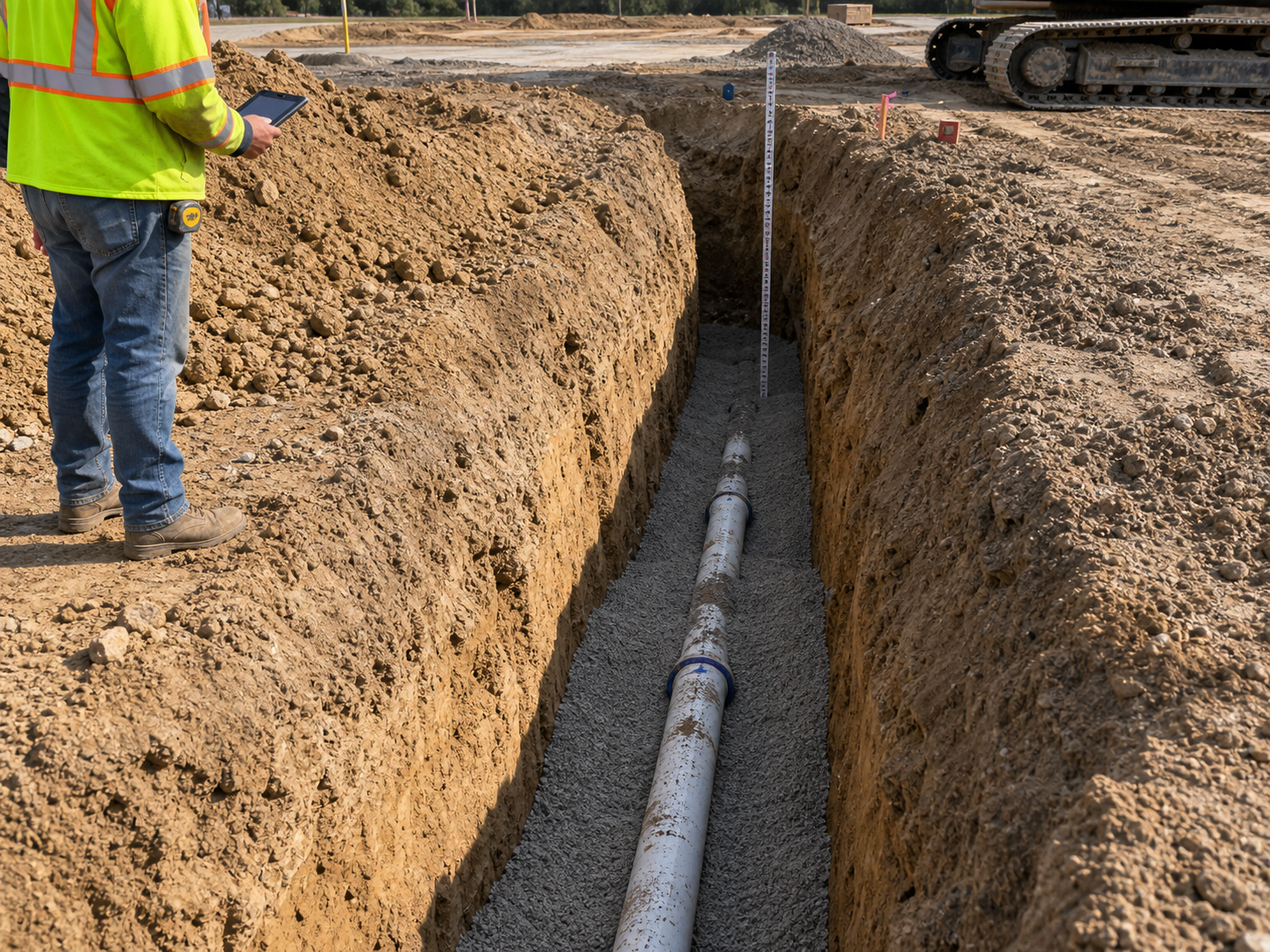
Trench, Bedding & Backfill Records
Photograph the open trench: depth, bedding material, pipe placement, haunching, warning tape, and each compaction lift. Once it's backfilled, this record is the only proof your work met spec. When a waterline settles or a lateral fails years later, dated photos of proper bedding and compaction keep the excavation off your back.
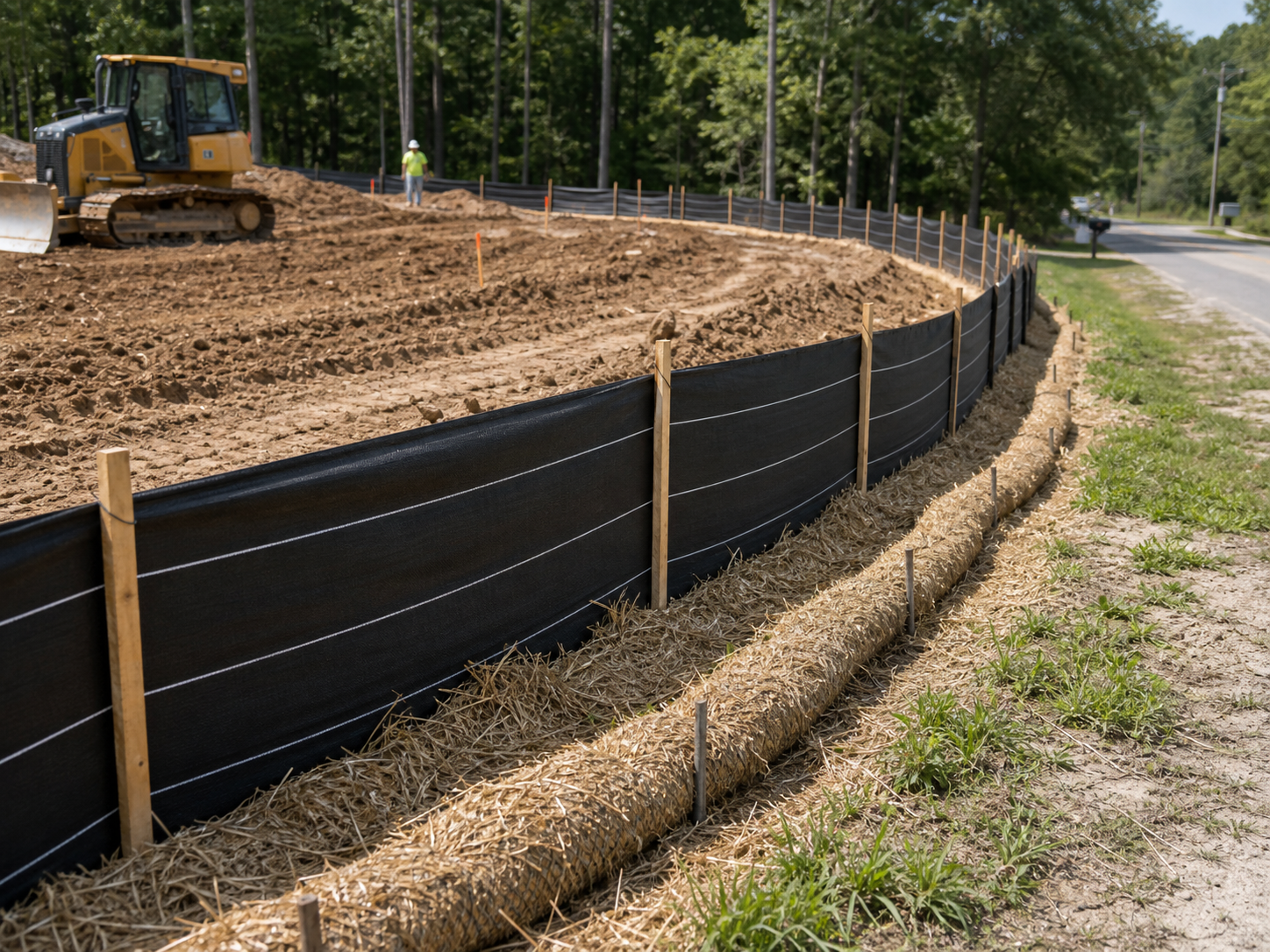
SWPPP & Erosion Control Compliance
Document silt fences, inlet protection, stabilized construction entrances, and concrete washouts on a regular cadence — and after every rain event. When the stormwater inspector arrives or the state audits the project, you produce a dated photo log in minutes instead of scrambling. Routine documentation turns SWPPP compliance from a fine risk into a checkbox.
Your best evidence gets buried every day.
30 days free. Photograph your next trench before backfill and keep the proof forever.
Start Free TrialFree for 30 days. No credit card required.
Frequently Asked Questions
Questions excavation & sitework contractors ask before getting started.
Will locate photos actually protect me if I hit a line?
Yes — they're often decisive. Utility strike disputes hinge on whether the marks were accurate and whether you dug with care. Timestamped, geotagged photos of the marks (or their absence) before excavation establish exactly what you had to work with. Without them, it defaults to your fault.
Most of our sites have no cell coverage. Does it still work?
Yes. Fieldpost works fully offline. Capture photos, add notes, and organize by job from anywhere on the site. Everything syncs automatically when you're back in coverage.
Can operators use it without slowing down production?
Yes. Open the app, hit the camera button, photos tag to the right job automatically. Documenting a trench takes seconds from the spoil pile. Most crews build it into the same rhythm as their pre-dig checks.
How is this different from the camera roll on my phone?
Camera roll photos aren't organized by job or phase, vanish when a phone is lost in the mud, and don't prove time and location in a way that survives a dispute. Fieldpost organizes everything automatically and produces an engineer-ready report in under two minutes.
Can I produce a SWPPP photo log for an inspector on the spot?
Yes. Your erosion control photos are already organized by date and category. Select the project, filter to erosion control, and generate a dated PDF log in under 2 minutes — while the inspector is still on site.
Can I add operators and foremen to one account?
Yes. Plans start at 3 users for $25/month, with additional users at $10/month. Every crew documents to the same jobs, and the office sees it in real time. No annual contracts.
Common Excavation & Sitework Contractors Workflows
See how excavation & sitework contractors document specific scenarios.
Waterproofing & Underground Documentation
Trench, bedding, and utility records that survive backfill.
Learn morePre-Existing Damage Documentation
Adjacent property and existing conditions, documented before the first bucket.
Learn morePermit & Code Compliance
SWPPP logs and inspection records ready on demand.
Learn moreEquipment & Fleet Documentation
Condition records for every machine in the fleet.
Learn moreDaily Jobsite Progress Tracking
Daily photo records of crew progress, site conditions, and work completed.
Learn moreLiability & Dispute Protection
An always-on photo record that protects you before anything goes wrong.
Learn moreOther Trades We Serve
Fieldpost is built for teams across the trades.
Utility & Infrastructure Contractors
Trench depth, bedding, and as-built photo records that survive backfill.
View industry pageConcrete & Paving Contractors
Pre-pour records, subgrade prep, and proof your flatwork was placed to spec.
View industry pageDemolition Contractors
Pre-demo surveys of adjacent property, disconnect verification, and clearance documentation.
View industry pageGeneral Contractors
Coordinate documentation across every trade, hold subs accountable, and keep owners updated on every phase.
View industry pageHeavy Equipment Rental & Service
Delivery and pickup condition reports that end rental damage disputes.
View industry pageStart Documenting Your Sitework Today
Join excavation contractors that protect their business with organized, professional photo documentation.
Free for 30 days. No credit card required.