General Contractor
Documentation App
Document every trade, phase, and handoff across all your projects: timestamped proof that settles sub disputes, speeds up draws, and survives staff turnover.





Trusted by 1,200+ field contractors across the trades.





Without Documentation, You're Exposed
General contractors carry the risk for every trade on the job. Here's what's at stake when it isn't documented.
Sub Disputes & Back-Charges
A sub says the work was done right; the next trade says it wasn't. Without dated photos of each handoff, back-charges turn into arguments you can't win and schedule delays you can't explain to the owner.
Owner Disputes Over Progress & Draws
Owners question pay apps, lenders question draw requests, and "trust me" doesn't move money. Without organized progress documentation, every draw becomes a negotiation and every change order a fight.
Closeout & Warranty Chaos
A warranty call two years later means digging through five superintendents' camera rolls to find what was behind that wall. Documentation scattered across phones, texts, and email threads isn't documentation — it's liability.
How It Works
Three simple steps to organized, professional documentation.
Document Every Phase
From pre-construction site conditions through final punch, capture each milestone and trade handoff. Every photo is automatically timestamped and geotagged.
Organize Across Trades
Photos grouped by project and categorized by phase or trade: sitework, foundation, framing, MEP rough-in, finishes. Your whole team documents to one organized record.
Report & Share
Generate professional PDF reports in minutes. Send progress packages to owners, architects, and lenders straight from the jobsite.
Built for General Contractors
Every feature designed to save you time and protect your business.
Timestamped Site Photos
Every photo captures date, time, and GPS automatically: a dated record of site conditions, trade handoffs, and progress that holds up in any dispute.
Phase & Trade Categories
Organize photos by construction phase or trade: sitework, foundation, framing, mechanical, electrical, plumbing, insulation, finishes, punch. Find any photo in seconds.
Owner & Lender Reports
Generate progress report PDFs for pay apps, draw requests, and OAC meetings. Professional documentation that moves money instead of starting arguments.
Automatic Cloud Backup
Every photo from every superintendent backed up automatically. Staff turnover doesn't take your project history with it.
Share with Owners & Subs
Send reports and photos to owners, architects, lenders, or subs via email or text link. Keep everyone working from the same record.
Built for the Superintendent Walk
Fully offline capable, fast capture, one-handed use. Document a full site walk in minutes and let it sync when you're back in coverage.
Real-World Use Cases
See how general contractors use Fieldpost on every job.

Subcontractor Accountability
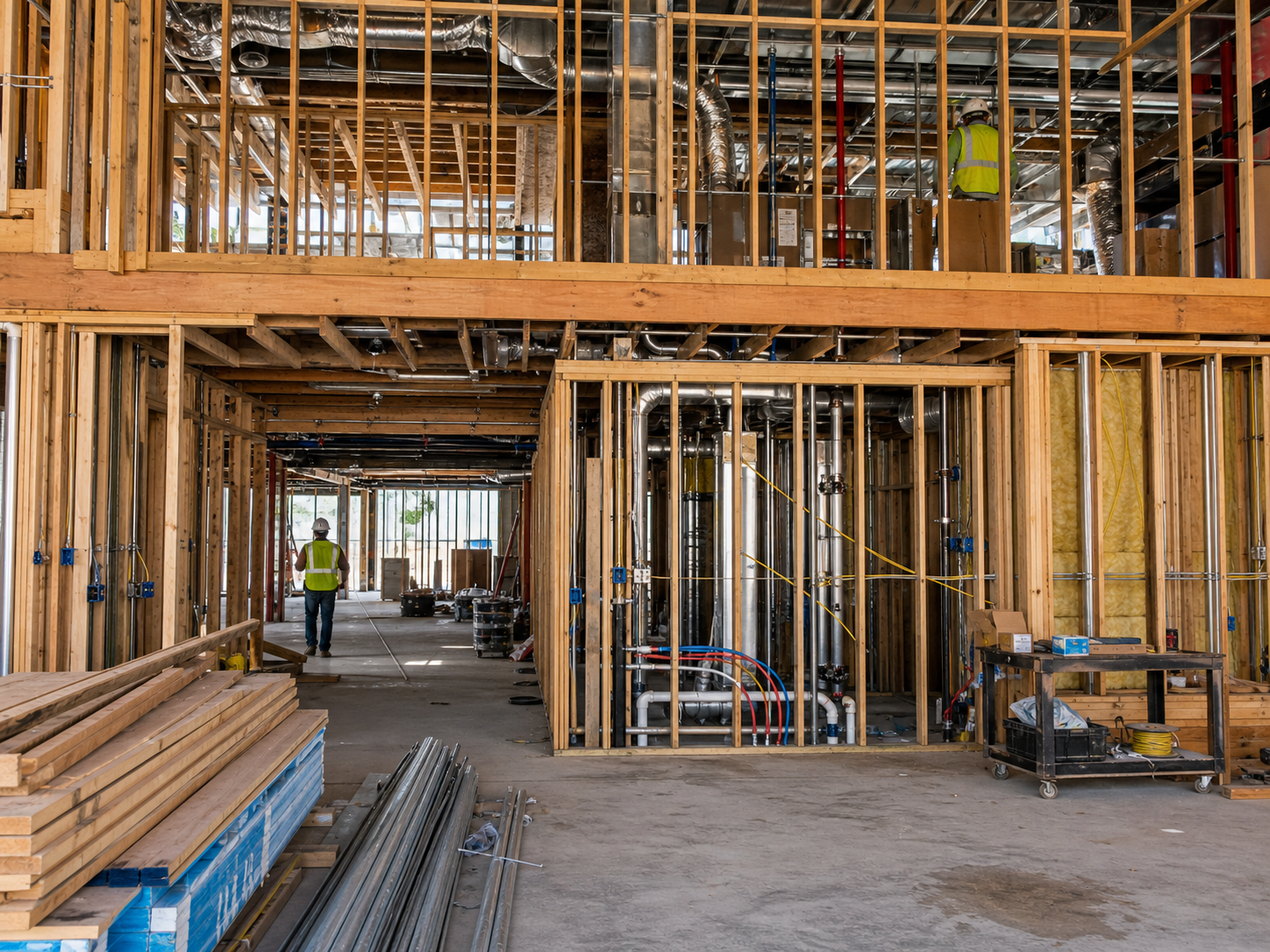
Photograph each trade's work at handoff: the framing before the electrician starts, the rough-in before insulation, the slab before the framer's sill plates. When something's wrong downstream, dated photos establish which trade owned the condition at which moment — turning a week of finger-pointing into a five-minute conversation and putting back-charges on solid ground.
Progress Documentation for Draws & Pay Apps
Document milestones as they complete: foundation poured, framing topped out, dry-in, MEP rough-in passed, finishes underway. Attach organized photo packages to draw requests and pay applications. Lenders and owners approve faster when they can see the work, and you have a permanent record of what was complete on every billing date.

Punch Lists & Project Closeout
Walk the punch with your phone: photograph each item, annotate what needs fixing, share the list with the responsible sub, then photograph the completed fix. At closeout, hand the owner a documentation package covering what's behind every wall — and keep your own copy for the warranty period. Two years later, you'll know exactly what was installed and by whom.
Stop losing back-charge arguments you should win.
30 days free. Document your next trade handoff and see how fast disputes end.
Start Free TrialFree for 30 days. No credit card required.
Frequently Asked Questions
Questions general contractors ask before getting started.
Can all my superintendents and PMs document to the same projects?
Yes. Everyone on your account documents to shared projects, organized by the categories you set up. The office sees field photos in real time, and nothing lives on any one person's phone. Plans start at 3 users for $25/month, with additional users at $10/month.
Will photo documentation actually hold up in a dispute with a sub or owner?
Yes. Every photo is automatically timestamped and geotagged. A dated photo of a trade's work at handoff is the evidence that settles back-charge disputes, supports claims, and backs up your side in mediation. Most disputes end as soon as one side produces organized photos.
How is this different from Procore or Buildertrend?
Those are full project management platforms with budgets, schedules, and RFIs — and pricing to match. Fieldpost does one thing extremely well: photo documentation and reports. It takes minutes to set up, your supers actually use it, and it costs a fraction as much. Many GCs run it alongside their PM software.
How long does it take to put together an owner progress report?
Under 2 minutes. Select the project, pick the photos, choose a template, and Fieldpost generates a branded PDF you can email from the jobsite. What used to be an hour in PowerPoint on Friday afternoon becomes a tap.
What happens when a superintendent leaves the company?
Nothing — that's the point. Every photo is backed up to your company account automatically, organized by project. Remove their user, add their replacement, and your project history stays intact.
Does it work on jobsites without cell coverage?
Yes. Fieldpost works fully offline. Capture and organize photos anywhere on site, and everything syncs automatically when you're back in service.
Common General Contractors Workflows
See how general contractors document specific scenarios.
Subcontractor Accountability
Dated photos of every trade handoff. Back-charges on solid ground.
Learn moreDaily Jobsite Progress Tracking
A daily photo record of every site, searchable forever.
Learn morePunch List Tracking
Walk the punch once. Photograph, annotate, assign, verify.
Learn moreProject Milestone Tracking
Milestone documentation that moves draws and pay apps faster.
Learn moreCustomer Progress Updates
Professional progress reports that keep clients off your phone.
Learn moreRemote Project Oversight
See every jobsite without driving to it.
Learn moreOther Trades We Serve
Fieldpost is built for teams across the trades.
Roofing Contractors
Storm damage claims, tear-off condition records, and warranty-ready install documentation.
View industry pagePlumbing Companies
Rough-in records, pressure test proof, and water damage liability protection.
View industry pageElectrical Contractors
Panel condition reports, rough-in records before drywall, and inspection-ready documentation.
View industry pageConcrete & Paving Contractors
Pre-pour records, subgrade prep, and proof your flatwork was placed to spec.
View industry pageCarpentry & Framing Contractors
Framing records before cover-up, structural hardware proof, and hidden-condition change orders.
View industry pageStart Documenting Your Projects Today
Join general contractors that protect their margins with organized, professional photo documentation.
Free for 30 days. No credit card required.