Landscaping
Documentation App
Document buried irrigation, hardscape base prep, and stunning transformations: photos that protect your warranty and sell your next job.





Trusted by 1,200+ field contractors across the trades.





Without Documentation, You're Exposed
Landscapers bury their best work and warranty their living things. Here's what's at stake without photos.
Buried Work Disputes
Irrigation lines, drainage pipe, paver base depth — your best work is invisible the day after install. When a zone fails or pavers settle, you can't prove the base was right without digging it up. No photos means the re-do is on you.
Plant Warranty Fights
A homeowner stops watering in July, the maple dies, and they want a free replacement under warranty. Without dated photos of healthy plants at install and the condition at the warranty claim, you replace plants that your work didn't kill.
"Your Crew Damaged My Property"
Cracked driveway from the skid steer, broken sprinkler head, scraped siding — claims surface after the job, and old damage looks new to an unhappy client. Without pre-job photos of the property, every claim is a check you write.
How It Works
Three simple steps to organized, professional documentation.
Document Before You Start
Capture existing property condition: driveway, irrigation, lawn, structures, anything your equipment passes. Then document each install phase. Every photo timestamped and geotagged.
Organize by Job & Phase
Photos grouped by job and categorized by phase: existing conditions, demo, grading, irrigation, hardscape base, planting, final. Maintenance visits get their own record.
Report & Share
Generate professional PDF reports in minutes. Share with homeowners, property managers, and HOAs straight from your phone.
Built for Landscaping Companies
Every feature designed to save you time and protect your business.
Timestamped Job Photos
Every photo captures date, time, and GPS automatically: proof of property condition before you arrived, what went in the ground, and how it looked at completion.
Landscape Phase Categories
Organize photos by phase: existing conditions, demo, grading and drainage, irrigation, hardscape base, hardscape finish, planting, mulch, final walkthrough.
Client-Ready Reports
Generate polished PDF reports for homeowners, property managers, and HOA boards. Completion packets, warranty records, and maintenance visit summaries.
Automatic Cloud Backup
Every photo backed up automatically. Crew phones break and crews change — your before-and-after library doesn't.
Share with Clients & HOAs
Send reports and photos to homeowners, property managers, and boards via email or text link. Proof of service for every recurring visit.
Built for the Field
Fully offline capable, fast capture with dirty hands. Document an install or a maintenance stop in seconds and keep the crew moving.
Real-World Use Cases
See how landscaping companies use Fieldpost on every job.
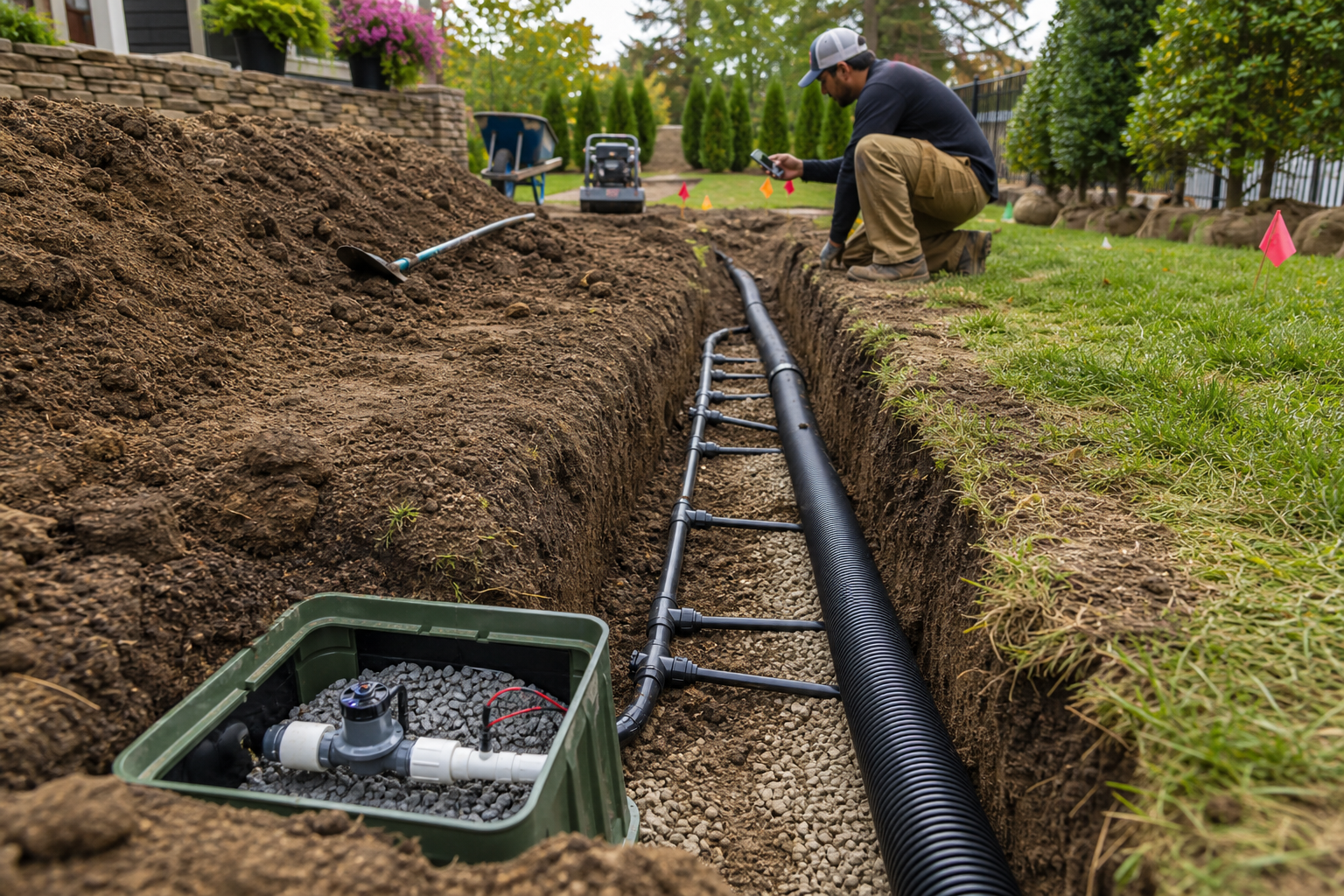
Irrigation & Drainage Before Backfill
Photograph every irrigation lateral, valve box, wire run, and drainage pipe while the trench is still open — depths, fittings, slopes, and routing. When a zone loses pressure or a French drain "never worked," your photos show exactly what was installed and where. It also means you can find a valve or repair a line years later without exploratory digging.
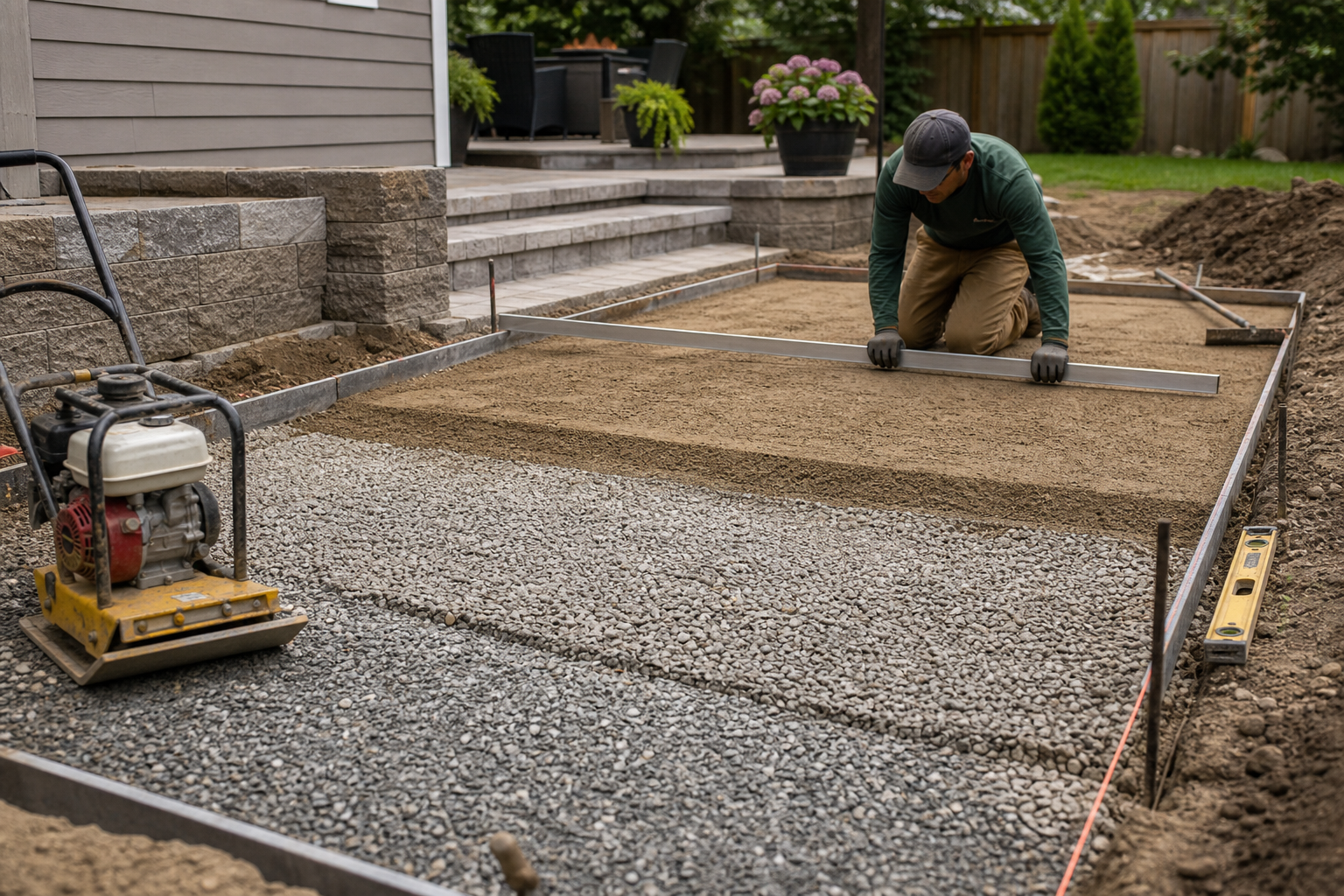
Hardscape Base Documentation
Pavers and retaining walls fail at the base, and the base is invisible at handoff. Document excavation depth, geotextile, gravel lifts, compaction, and screeded bedding before the first paver is set. When a patio settles or a wall leans — usually from water, not workmanship — your base photos prove the install met spec and the warranty claim isn't yours to eat.

Before & After Transformations
Every job is a portfolio piece if you capture it. Consistent before-and-after photos, organized by project, become your best sales asset: estimates close faster when prospects see transformations of yards like theirs. The same photos double as plant warranty baselines and proof of completion for property managers who never visit the site.
Your best work is invisible by the end of the day.
30 days free. Document your next install before the backfill and mulch go down.
Start Free TrialFree for 30 days. No credit card required.
Frequently Asked Questions
Questions landscaping companies ask before getting started.
Can I use the photos for marketing?
Yes — that's half the value for landscapers. Your before-and-after photos are organized by project and backed up in full resolution, ready for your website, social media, and estimates. No more scrolling a foreman's camera roll for that one great after shot.
How does this help with plant warranty claims?
Photos at install establish the plants went in healthy and correctly. Photos at the claim show the actual condition — drought stress, mower damage, dog spots. Dated evidence on both ends means you honor real warranty claims and decline the ones caused by neglect, without an argument.
Can crews document recurring maintenance visits?
Yes. Each visit gets photos on the property's record: before and after the mow, treatments applied, issues spotted. For commercial accounts and HOAs, that's automatic proof of service when an invoice gets questioned.
Do my crews need training to use this?
No. Open the app, hit the camera button, photos tag to the right job automatically. Crews are documenting on day one. If you can use a phone camera, you can use Fieldpost.
How is this different from the camera roll on my phone?
Camera roll photos aren't organized by property, vanish when phones break or crew members leave, and can't become a client report without an evening at a desk. Fieldpost organizes everything automatically and generates a branded PDF in under two minutes.
Can I add my whole crew to one account?
Yes. Plans start at 3 users for $25/month, with additional users at $10/month. Every crew documents to the same properties, and you see it all in real time. No annual contracts.
Common Landscaping Companies Workflows
See how landscaping companies document specific scenarios.
Before & After Photos
Transformations that close your next estimate.
Learn moreWaterproofing & Underground Documentation
Irrigation and drainage proof before backfill.
Learn morePre-Existing Damage Documentation
Driveways and sprinkler heads, documented before your equipment arrives.
Learn moreMaintenance & Service Records
Proof of service for every recurring visit.
Learn moreCustomer Progress Updates
Professional progress reports that keep clients off your phone.
Learn moreLiability & Dispute Protection
An always-on photo record that protects you before anything goes wrong.
Learn moreOther Trades We Serve
Fieldpost is built for teams across the trades.
Pool & Outdoor Construction
Pre-gunite steel and plumbing records, stage inspections, and neighboring property protection.
View industry pageExcavation & Sitework Contractors
Utility locates, grade verification, and buried-work documentation before backfill.
View industry pageAgricultural Services
Drainage tile and irrigation records before backfill, plus completion proof for landowners.
View industry pageCleaning & Pressure Washing
Pre-existing damage documentation and before-and-after photos that win commercial contracts.
View industry pageProperty & Facility Maintenance
Work order proof, unit turn records, and documentation that settles tenant disputes.
View industry pageStart Documenting Your Landscape Jobs Today
Join landscaping companies that protect their work and win more bids with organized photo documentation.
Free for 30 days. No credit card required.