Low Voltage & Security
Documentation App
Document cable paths, rack builds, and commissioned devices: timestamped as-builts that cut service calls in half and protect you after an incident.





Trusted by 1,200+ field contractors across the trades.





Without Documentation, You're Exposed
Integrators lose their work behind drywall and inherit liability at every incident. Here's what's at stake.
Cable Paths Lost Behind Drywall
Every run you pull disappears behind drywall within days. When a cable gets cut by another trade, a drop tests dead at trim-out, or a service call needs to trace a path two years later, no photos means hours of toning, guessing, and opening walls.
Liability on Security Systems
When a break-in happens and a camera "wasn't recording," the integrator gets the lawyer's letter. Without commissioning photos proving every device was installed, aimed, and tested at handoff, you're defending your work from memory.
Service Calls Without As-Builts
The tech who installed the system left last year, and the new guy is staring at an undocumented rack. Every service call without as-built records costs an extra hour on site — billed to nobody.
How It Works
Three simple steps to organized, professional documentation.
Document the Rough-In
Capture cable paths, drop locations, and conduit routes while walls are open. Every photo automatically timestamped and geotagged.
Record the Build & Commissioning
Photos organized by job and stage: rough-in, rack build, terminations, device installs, testing. Labels and port maps captured in notes.
Report & Share
Generate professional PDF reports in minutes. Hand off as-built documentation to GCs, IT managers, and your own service department.
Built for Low Voltage & Security Contractors
Every feature designed to save you time and protect your business.
Timestamped Install Photos
Every photo captures date, time, and GPS automatically: dated proof of cable paths before drywall and device installs at commissioning.
Low Voltage Stage Categories
Organize photos by phase: rough-in, cable pulls, rack and head-end, terminations, device installation, programming, testing, final walkthrough.
As-Built & Commissioning Reports
Generate PDF reports documenting paths, racks, and tested devices. Handoff packages for clients and a goldmine for your own service team.
Automatic Cloud Backup
Every photo backed up automatically. Install knowledge stops walking out the door with whichever tech pulled the cable.
Share with GCs & IT Managers
Send rough-in records and commissioning reports to GCs, facility managers, and IT contacts via email or text link at each milestone.
Built for Ceilings & Server Rooms
Fully offline capable. Capture from the lift, above the ceiling grid, and in basement IDF closets with no signal. Syncs automatically.
Real-World Use Cases
See how low voltage & security contractors use Fieldpost on every job.
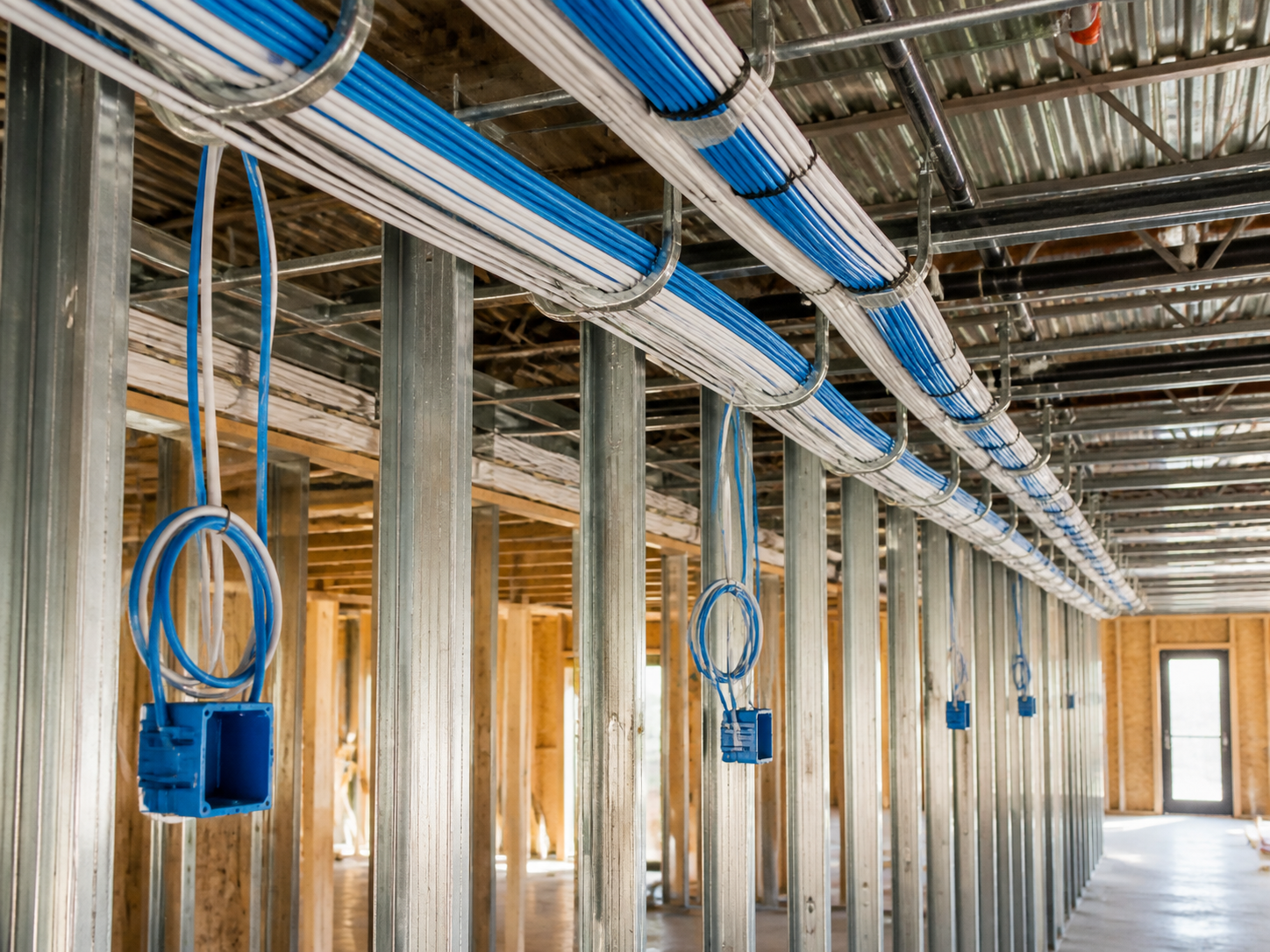
Cable Pathways Before Close-Up
Photograph every pathway while it's visible: home runs through framing, J-hook routes above ceiling grid, conduit stubs, firestop penetrations, drop locations with box placement. When another trade cuts a run, a drop dies, or a remodel needs to find your cable five years later, the photos answer in seconds what a toner answers in hours. This is the highest-value habit in structured cabling.
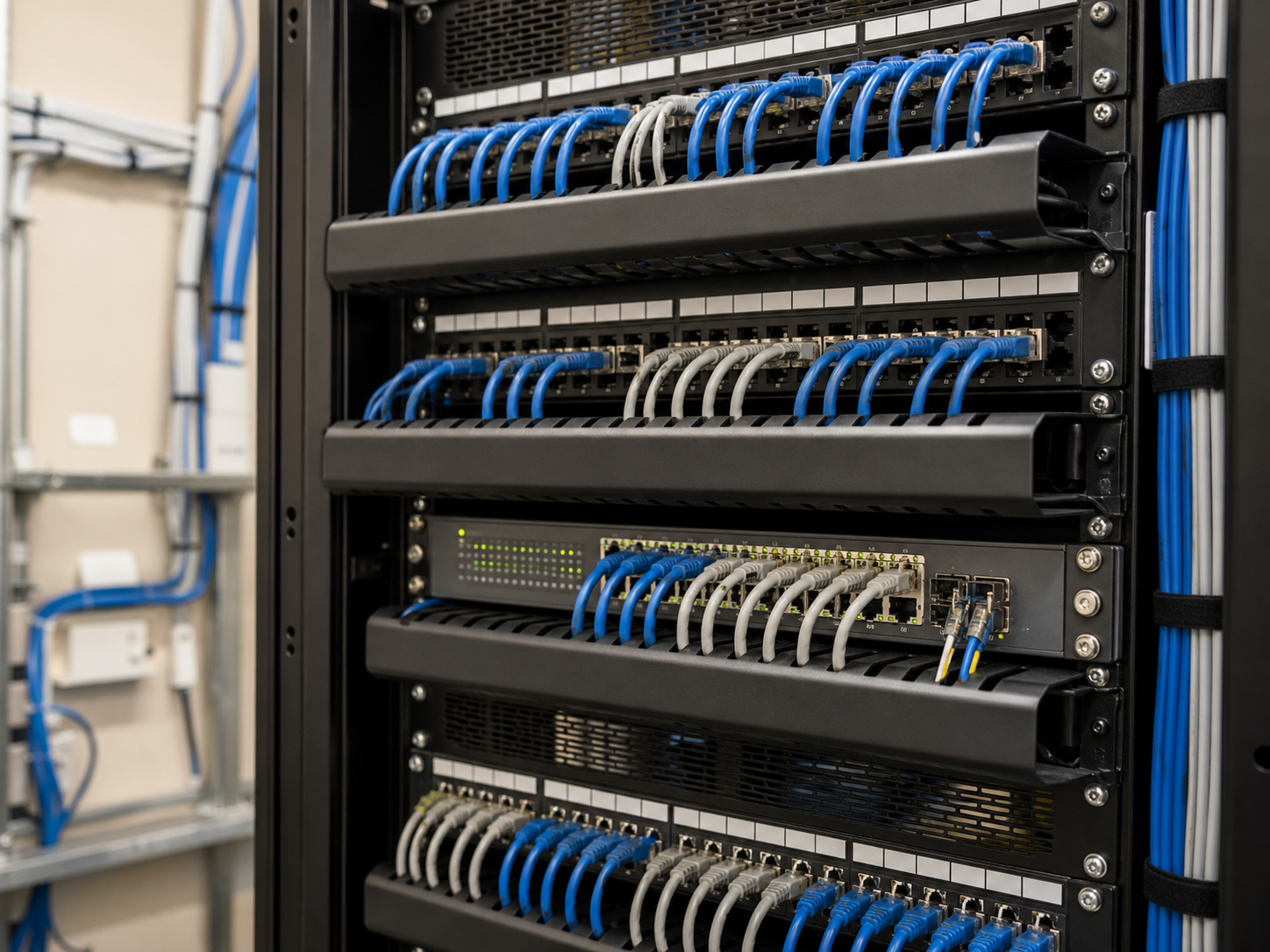
Rack & Head-End Documentation
Document the rack at every meaningful state: patch panel terminations, switch port assignments, cable management, power and UPS connections, labeling. When your service tech — or the client's IT vendor — opens that closet in two years, the photos plus labeling notes are the as-built that makes the visit billable instead of archaeological.
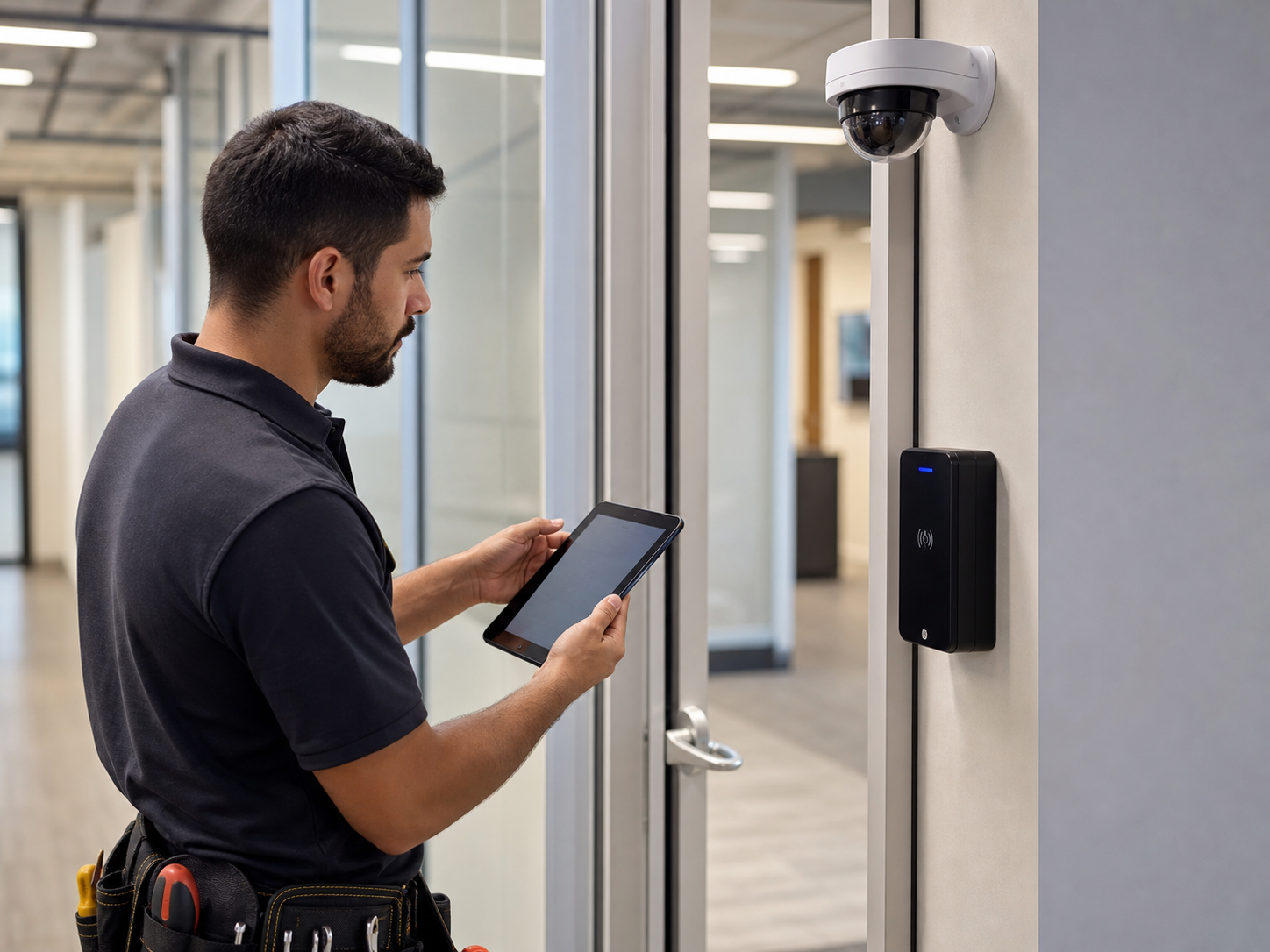
Device Commissioning & Handoff Proof
Photograph every installed device at commissioning: camera mounting and field of view, access control readers and door hardware, sensors, panels. Capture test confirmations alongside. When a security event happens and someone claims a camera was never aimed at the loading dock, your commissioning photos prove the system's state at handoff — the line between their operational issue and your liability.
Drywall closes this week. Photograph the runs first.
30 days free. Document your next rough-in and never tone a mystery cable again.
Start Free TrialFree for 30 days. No credit card required.
Frequently Asked Questions
Questions low voltage & security contractors ask before getting started.
Can commissioning photos really protect us after a security incident?
Yes. Post-incident disputes hinge on the system's state at handoff: was the camera aimed correctly, was the sensor installed, did it test functional. Timestamped commissioning photos answer those questions decisively. Integrators without records inherit liability for every operational change the client made since.
How does this cut service call time?
Your techs see the install photos before they roll: cable paths, rack layout, device locations, labeling. What used to be an hour of tracing becomes a lookup in the truck. For service-heavy shops, this pays for itself in the first month.
Does it work above ceiling grids and in basement closets with no signal?
Yes. Fieldpost works fully offline. Capture from the lift or the IDF closet, and everything syncs automatically when you're back in coverage.
Can I hand off as-built documentation to the client?
Yes. Generate a PDF with rough-in paths, rack photos, and commissioned devices in under 2 minutes. IT managers and facility directors notice the difference — and it wins you the service contract that follows the install.
How is this different from the camera roll on my phone?
Camera roll photos aren't organized by job or system, leave with the tech who took them, and can't become an as-built package without hours at a desk. Fieldpost organizes everything by job and stage automatically and generates handoff reports in minutes.
Can I add my whole crew to one account?
Yes. Plans start at 3 users for $25/month, with additional users at $10/month. Every tech documents to the same jobs in real time. No annual contracts.
Common Low Voltage & Security Contractors Workflows
See how low voltage & security contractors document specific scenarios.
Quality Control & Inspections
Pathways and terminations verified before drywall.
Learn moreMaintenance & Service Records
As-built records that make every service call faster.
Learn moreLiability & Dispute Protection
Commissioning proof for when the incident review starts.
Learn morePunch List Tracking
Dead drops and aim adjustments, tracked to closure.
Learn moreCustomer Progress Updates
Professional progress reports that keep clients off your phone.
Learn moreSubcontractor Accountability
Verify sub work before you pay for it.
Learn moreOther Trades We Serve
Fieldpost is built for teams across the trades.
Electrical Contractors
Panel condition reports, rough-in records before drywall, and inspection-ready documentation.
View industry pageGeneral Contractors
Coordinate documentation across every trade, hold subs accountable, and keep owners updated on every phase.
View industry pageSolar & Energy Contractors
Roof condition before install, attachment and flashing records, and PTO-ready inspection packets.
View industry pageProperty & Facility Maintenance
Work order proof, unit turn records, and documentation that settles tenant disputes.
View industry pageIndustrial Maintenance & Service
Equipment condition records, shutdown documentation, and audit-ready maintenance history.
View industry pageStart Documenting Your Installs Today
Join low voltage and security contractors that protect their work with organized as-built photo documentation.
Free for 30 days. No credit card required.