Painting Contractor
Documentation App
Document the room before you mask, the prep nobody sees, and the finish they sign off on: photos that end damage claims and justify your price.





Trusted by 1,200+ field contractors across the trades.




Without Documentation, You're Exposed
Painting contractors get blamed for old damage and invisible prep. Here's what's at stake.
"You Got Paint on My..."
A drip on the hardwood, a scratch on the piano, overspray on the car — claims surface days after you leave, and old damage looks new to a client hunting for a discount. Without photos of the space before masking, you're paying for damage you didn't cause.
Prep Work Nobody Can See
The difference between a $2,000 bid and a $5,000 bid is prep — and prep is invisible under two coats. When a client questions the invoice or a competitor underbids you, photos of the patching, sanding, and priming are the only proof of what they paid for.
Peeling Paint Warranty Claims
Paint fails from moisture, bad substrate, or no surface prep — and the painter gets blamed regardless. Without documentation of surface condition, moisture issues you flagged, and primer applied, every failure becomes your warranty problem.
How It Works
Three simple steps to organized, professional documentation.
Document Before You Mask
Capture the space as you found it: floor condition, furniture, existing wall damage, that scratch that was already on the trim. Every photo timestamped and geotagged.
Document the Prep
Photos organized by job and stage: existing conditions, protection, patching, sanding, priming, coats, final. The invisible work becomes visible.
Report & Share
Generate professional PDF reports in minutes. Send completion packets to homeowners, GCs, and property managers from the jobsite.
Built for Painting & Finishing Contractors
Every feature designed to save you time and protect your business.
Timestamped Job Photos
Every photo captures date, time, and GPS automatically: the floor before masking, the wall before patching, the finish at walkthrough. Dated proof at every step.
Painting Stage Categories
Organize photos by phase: existing conditions, protection and masking, surface prep, prime, first coat, finish coat, touch-up, final walkthrough.
Completion & Prep Reports
Generate PDF reports showing the prep work clients paid for and the finish they signed off on. Professional documentation for homeowners, GCs, and property managers.
Automatic Cloud Backup
Every photo backed up automatically. Your before-and-after library and liability records survive broken phones and crew turnover.
Share with Clients & GCs
Send reports and photos to homeowners, designers, GCs, and property managers via email or text link, straight from the final walkthrough.
Built for the Jobsite
Fully offline capable, fast capture. Document a whole house walkthrough in minutes before the drop cloths come out.
Real-World Use Cases
See how painting & finishing contractors use Fieldpost on every job.
Pre-Paint Condition Records
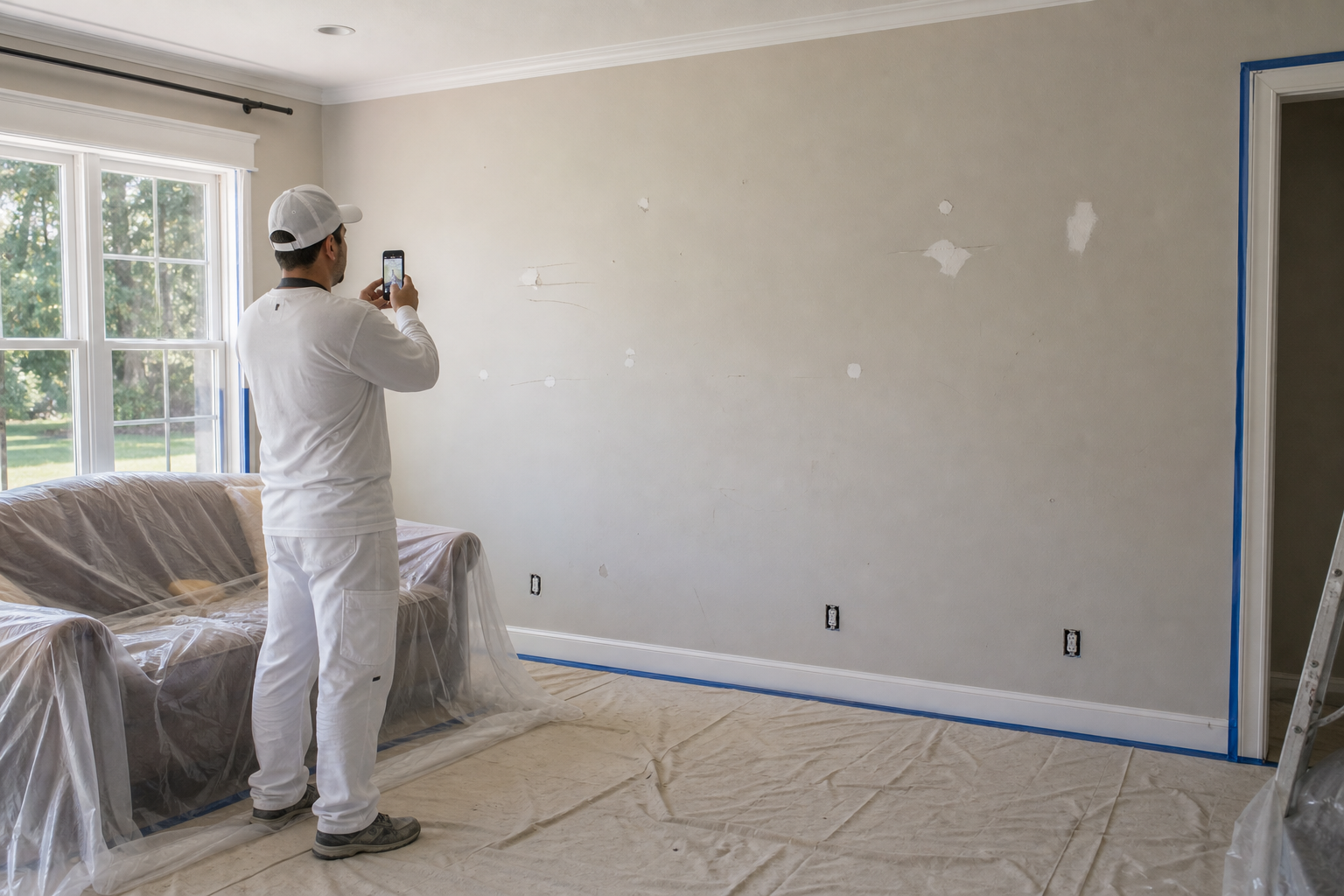
Before a single drop cloth goes down, walk the space and photograph everything: hardwood condition, furniture, fixtures, existing nail pops, old stains, that ding in the baseboard. When a client claims your crew scratched the floor or damaged the banister, dated photos from before you masked show the truth. This five-minute habit eliminates the single most common painting dispute.
Surface Prep Documentation
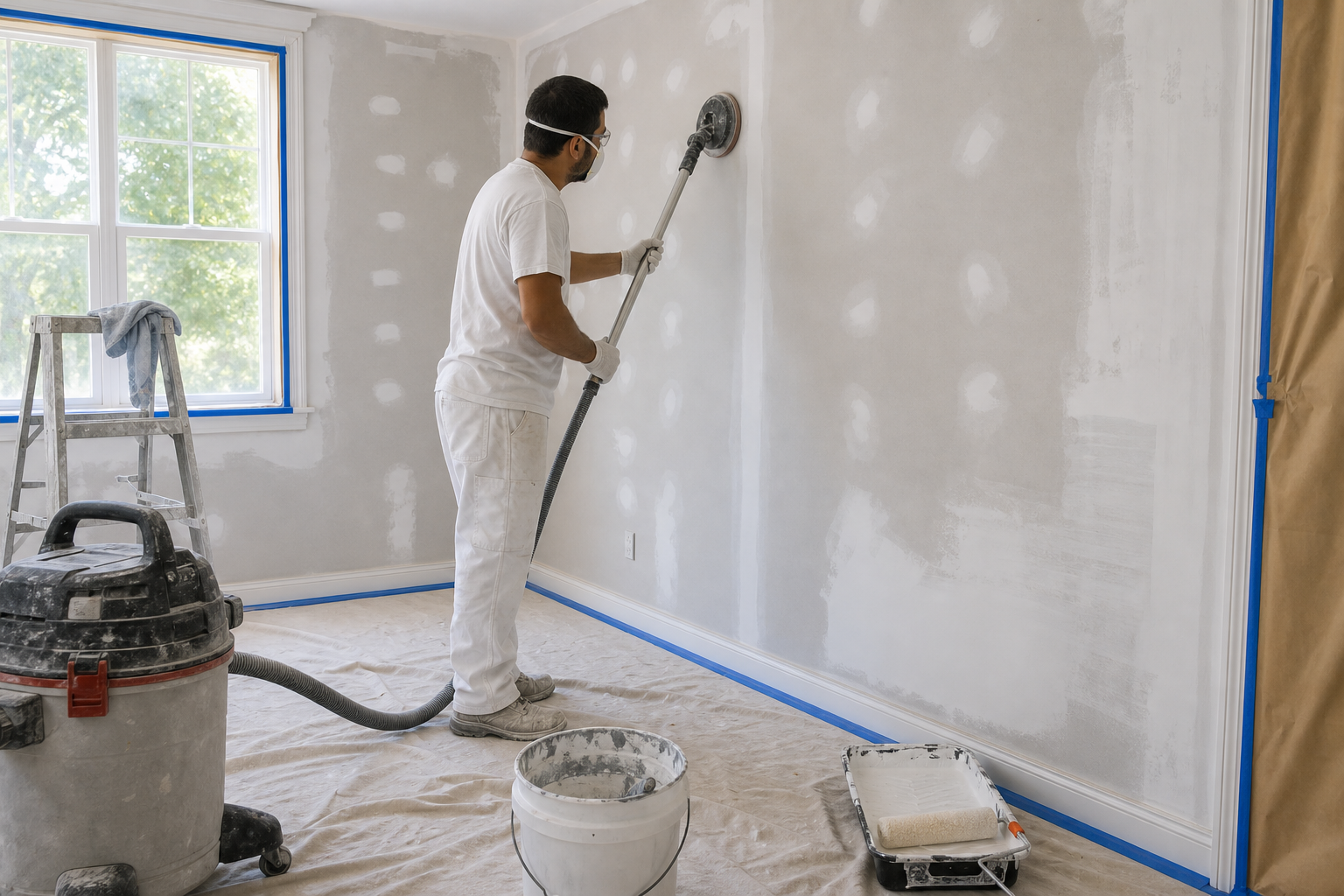
Photograph the prep your bid included: drywall patches, skim coats, caulked gaps, sanded trim, spot-primed stains, full prime coats. Clients can't see prep under the finish coat — but they can see your photos. Prep documentation justifies your price against lowball competitors, supports your invoice, and proves the substrate was done right if the paint ever fails.

Final Walkthrough & Sign-Off
Document the finished work room by room: cut lines, sheen consistency, cleaned-up workspace. Share the completion report with the client at sign-off. For repaints and touch-up calls months later, you have a record of exactly how the job looked when they approved it — and which paint, color, and sheen went on every wall.
Stop paying for scratches you didn't make.
30 days free. Photograph your next job before you mask and end damage claims for good.
Start Free TrialFree for 30 days. No credit card required.
Frequently Asked Questions
Questions painting & finishing contractors ask before getting started.
Can photos record which colors and products went where?
Yes. Add notes to photos with the brand, line, color, and sheen for each room. When the client calls in two years asking for a touch-up match, the answer is on the job record instead of in a former foreman's memory.
How does this help me win bids against cheaper painters?
Show prospects prep documentation from past jobs. When they see photos of patching, sanding, and priming — the work the cheap bid skips — your price makes sense. Before-and-after galleries organized by project close estimates faster than any brochure.
What if paint fails and the client blames my work?
Your prep photos are the defense. Documentation of substrate condition, moisture issues you flagged, primer applied, and conditions during application establishes whether the failure came from your work or from the building. Painters without records lose those arguments by default.
Do my painters need training to use this?
No. Open the app, hit the camera button, photos tag to the right job automatically. Crews are documenting on their first job. If you can use a phone camera, you can use Fieldpost.
How long does a completion report take?
Under 2 minutes. Select the job, pick the photos, and Fieldpost generates a branded PDF you can email to the client at the final walkthrough — sign-off in hand before you load the van.
Can I add my whole crew to one account?
Yes. Plans start at 3 users for $25/month, with additional users at $10/month. Every painter documents to the same jobs and you see it all in real time. No annual contracts.
Common Painting & Finishing Contractors Workflows
See how painting & finishing contractors document specific scenarios.
Pre-Existing Damage Documentation
Floors, furniture, and fixtures documented before the drop cloths.
Learn moreBefore & After Photos
Transformations that sell your next estimate.
Learn moreQuality Control & Inspections
Prep verified before the finish coat hides it.
Learn morePunch List Tracking
Touch-ups photographed, fixed, and closed out fast.
Learn moreCustomer Progress Updates
Professional progress reports that keep clients off your phone.
Learn moreLiability & Dispute Protection
An always-on photo record that protects you before anything goes wrong.
Learn moreOther Trades We Serve
Fieldpost is built for teams across the trades.
Carpentry & Framing Contractors
Framing records before cover-up, structural hardware proof, and hidden-condition change orders.
View industry pageGeneral Contractors
Coordinate documentation across every trade, hold subs accountable, and keep owners updated on every phase.
View industry pageSiding & Exterior Trades
Housewrap and flashing records before siding goes on, plus hidden rot documentation.
View industry pageRestoration Contractors
Pre-mitigation loss documentation, drying logs, and photo evidence adjusters accept.
View industry pageProperty & Facility Maintenance
Work order proof, unit turn records, and documentation that settles tenant disputes.
View industry pageStart Documenting Your Painting Jobs Today
Join painting contractors that protect their work and their reputation with organized photo documentation.
Free for 30 days. No credit card required.