Plumbing Contractor
Documentation App
Document pre-existing conditions, rough-ins, and pressure tests: timestamped proof that holds up with GCs, inspectors, and insurance adjusters.





Trusted by 1,200+ field contractors across the trades.
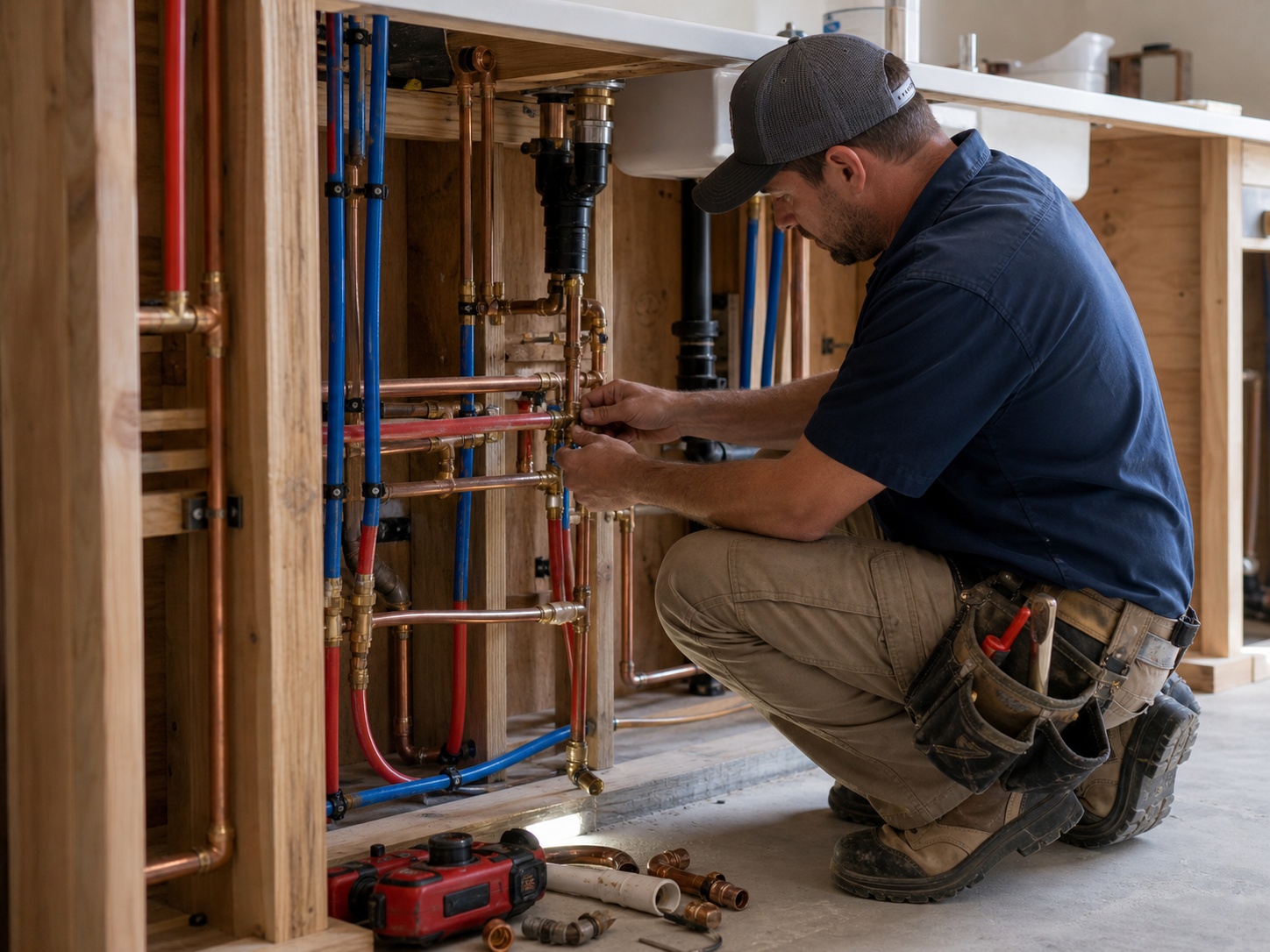




Without Documentation, You're Exposed
Plumbing companies face unique risks when field work isn't properly documented. Here's what's at stake.
Water Damage Liability
A leak shows up weeks after your service call and suddenly you're blamed for the homeowner's ruined floor. Without photos of the pre-existing corrosion, old fittings, and conditions you found, "the plumber did it" sticks — and your insurance premium pays the price.
Buried Work You Can't Prove
Rough-in gets covered by drywall and slab work disappears under concrete. When an inspector questions a stub-out location or a GC claims your rough-in was wrong, you can't reopen the wall to check. No photos before close-up means it's your word against theirs.
Failed Inspections & Re-Work
Pressure tests, cleanout access, slope on drain lines: inspectors want proof, and re-scheduling a failed inspection costs days. Documentation scattered across techs' phones means digging through camera rolls while the job sits idle.
How It Works
Three simple steps to organized, professional documentation.
Document Before You Touch It
Capture existing conditions first: corroded pipes, old water damage, failing fixtures, shut-off valve state. Then document your rough-in, pressure tests, and finished work. Every photo timestamped and geotagged.
Organize by Job & Stage
Photos grouped by job and categorized by stage: existing conditions, demo, rough-in, top-out, pressure test, trim-out. Notes and annotations keep context clear.
Report & Share
Generate professional PDF reports in minutes. Share with GCs, inspectors, homeowners, or insurance adjusters via email or text, straight from your phone.
Built for Plumbing Companies
Every feature designed to save you time and protect your business.
Timestamped Job Photos
Every photo captures date, time, and GPS automatically: irrefutable proof of what the pipes looked like before you touched them and what your work looked like before it was covered.
Plumbing Stage Categories
Organize photos by phase: existing conditions, underground, rough-in, top-out, pressure test, fixture set, final. Every stage documented before it disappears behind drywall.
Inspection-Ready Reports
Generate PDF reports with pressure test photos, rough-in records, and cleanout locations. Professional enough to hand a city inspector or a GC superintendent.
Automatic Cloud Backup
Every photo backed up automatically. Never lose rough-in records because a phone got soaked, broke, or a tech left the company.
Share with GCs & Homeowners
Send reports and photos directly to general contractors, homeowners, inspectors, or adjusters via email or text link, straight from the jobsite.
Works in Crawlspaces & Basements
Fully offline capable. Capture photos under slabs, in crawlspaces, and in mechanical rooms with no signal. Syncs automatically when you're back in service.
Real-World Use Cases
See how plumbing companies use Fieldpost on every job.
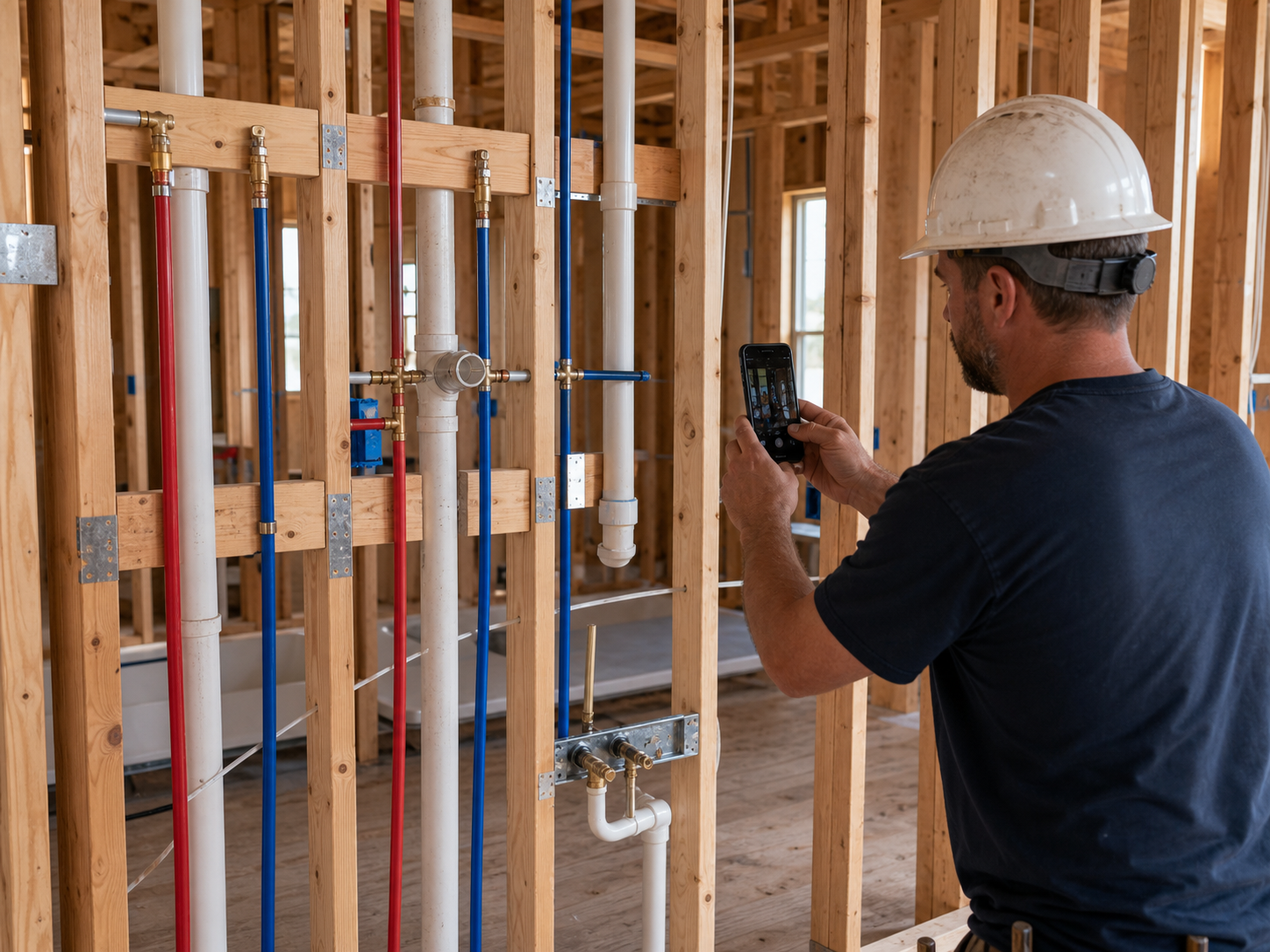
Rough-In Records Before Close-Up
Document every rough-in before insulation and drywall: supply line routing, drain slope, stub-out locations, nail plates, firestop penetrations. When the GC's framer hits a line or a stub-out is "in the wrong place" six weeks later, your timestamped photos show exactly what was where, and that it passed inspection. This is the single best protection against eating re-work that wasn't your fault.
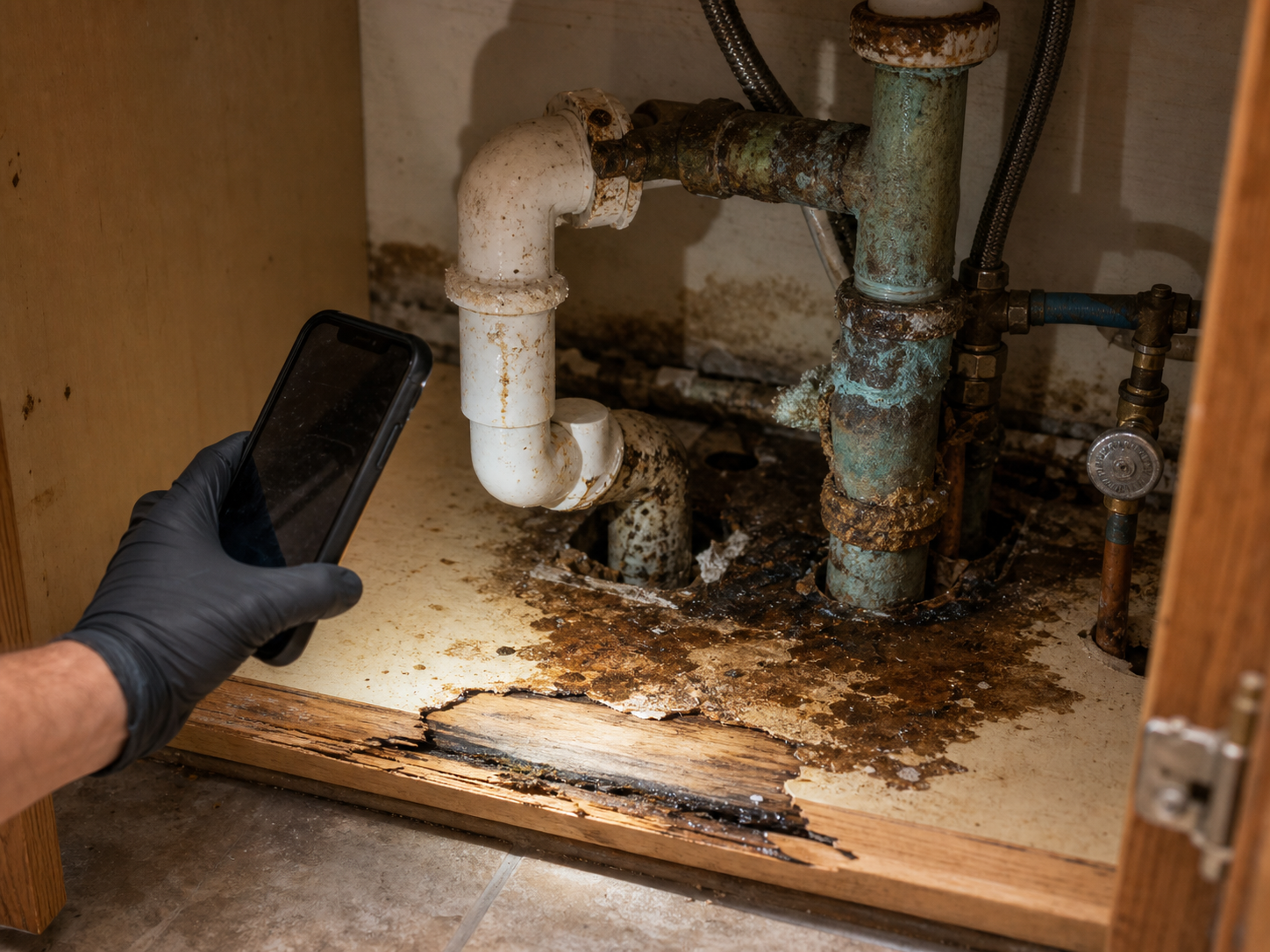
Pre-Existing Condition Documentation
Before every service call, capture what you found: corroded galvanized supply lines, a rusted-out water heater pan, old water staining under the sink, hack repairs from the last guy. When a homeowner calls two weeks later claiming your repair caused their ceiling stain, the photos tell the real story. Plumbers lose these arguments without evidence — and win them instantly with it.
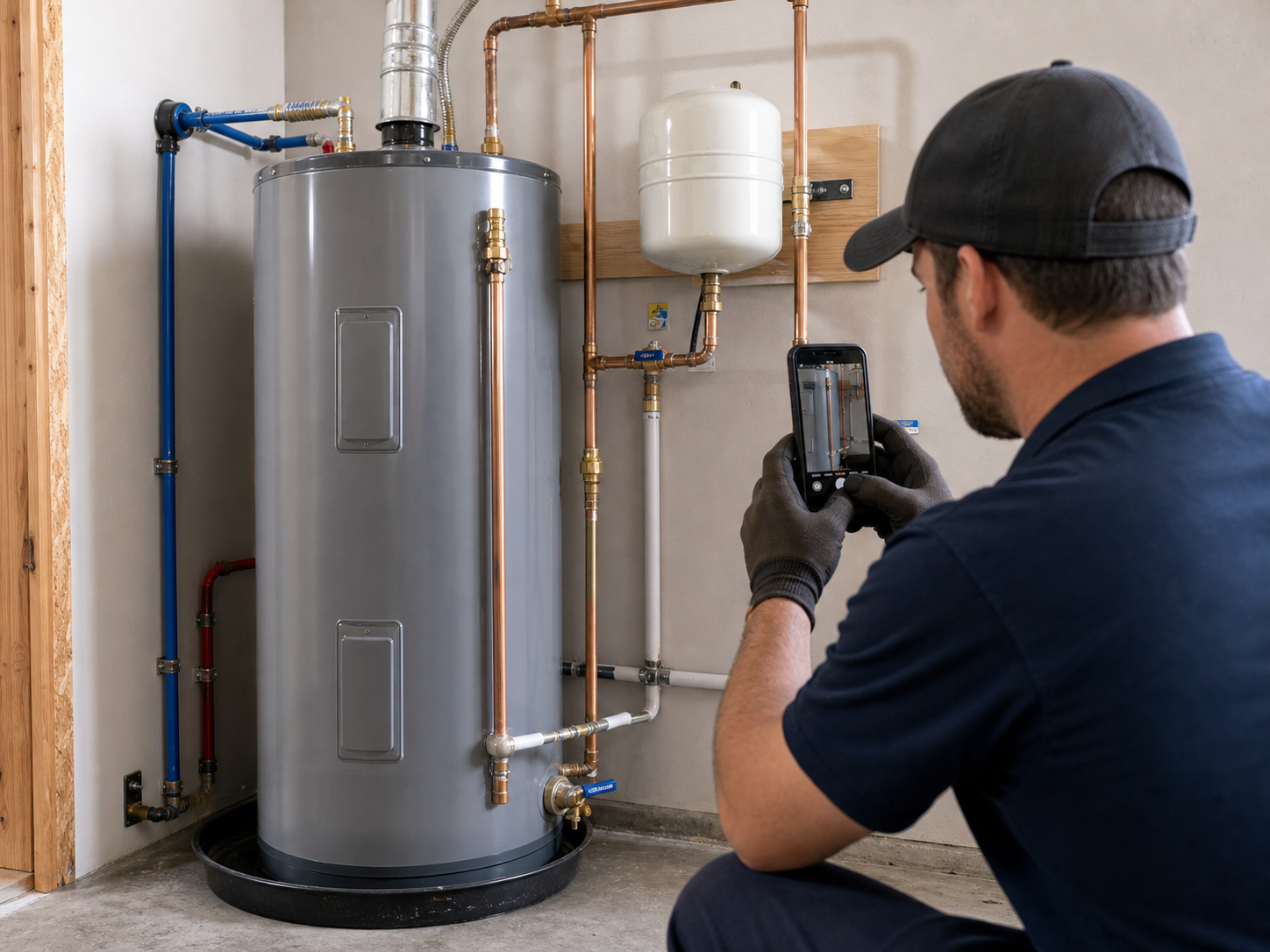
Pressure Tests & Final Walkthroughs
Photograph the gauge holding pressure, the completed water heater install with proper T&P discharge and seismic strapping, the fixture trim-out. Attach readings and notes to each photo. For warranty work, code compliance, and customer disputes, a visual record of the test and the finished install closes the conversation before it starts.
Stop eating the blame for old water damage.
30 days free. Document your next service call and see how fast disputes end.
Start Free TrialFree for 30 days. No credit card required.
Frequently Asked Questions
Questions plumbing companies ask before getting started.
Will the photos hold up if a water damage claim goes to my insurance?
Yes. Every photo is automatically timestamped and geotagged, which is exactly what claims adjusters and attorneys look for. A dated photo of pre-existing corrosion taken before your work began is the difference between a denied claim against you and a five-minute conversation.
What about jobs in basements and crawlspaces with no signal?
Fieldpost works fully offline. Capture photos, add notes, and organize them by job from anywhere. The app syncs to the cloud automatically the moment you're back in service.
Do my techs need training to use this?
No. Open the app, hit the camera button, and photos tag to the right job automatically. Most plumbers are up and running on their first call. If you can use a phone camera, you can use Fieldpost.
How is this different from the camera roll on my phone?
Camera roll photos aren't organized by job, disappear when a phone breaks or a tech leaves, and can't prove timestamps or location in a way that holds up with GCs, inspectors, or adjusters. Fieldpost organizes everything automatically and turns it into a professional report in under two minutes.
Can I send a rough-in record to the GC before drywall goes up?
Yes, in under 2 minutes. Select the job, pick the rough-in photos, and Fieldpost generates a branded PDF you can email or text to the superintendent before you leave the site. Now there's a record on their side too.
Can I add other techs to my account?
Yes. Plans start at 3 users for $25/month, with additional users at $10/month. Every tech documents to the same jobs and you see it all in real time. Add or remove techs as your crew changes. No annual contracts.
Common Plumbing Companies Workflows
See how plumbing companies document specific scenarios.
Pre-Existing Damage Documentation
Corroded pipes and old water damage, documented before you touch a thing.
Learn moreWaterproofing & Underground Documentation
Under-slab and underground work, proven before it's buried.
Learn morePermit & Code Compliance
Rough-in and pressure test records ready for any inspector.
Learn moreLiability & Dispute Protection
An always-on photo record for when "the plumber did it" comes knocking.
Learn moreMaintenance & Service Records
Visual records for recurring service contracts and disputes.
Learn moreBefore & After Photos
Show finished work to clients and use it in your marketing.
Learn moreOther Trades We Serve
Fieldpost is built for teams across the trades.
HVAC Contractors
Pre-existing conditions, install stages, refrigerant logs, and warranty-ready service records.
View industry pageElectrical Contractors
Panel condition reports, rough-in records before drywall, and inspection-ready documentation.
View industry pageRestoration Contractors
Pre-mitigation loss documentation, drying logs, and photo evidence adjusters accept.
View industry pageGeneral Contractors
Coordinate documentation across every trade, hold subs accountable, and keep owners updated on every phase.
View industry pageExcavation & Sitework Contractors
Utility locates, grade verification, and buried-work documentation before backfill.
View industry pageStart Documenting Your Plumbing Jobs Today
Join plumbing companies that protect their business with organized, professional photo documentation.
Free for 30 days. No credit card required.