Restoration Contractor
Documentation App
Document the loss before mitigation, daily drying progress, and demo scope: timestamped proof that gets claims paid in full and protects you from callbacks.





Trusted by 1,200+ field contractors across the trades.
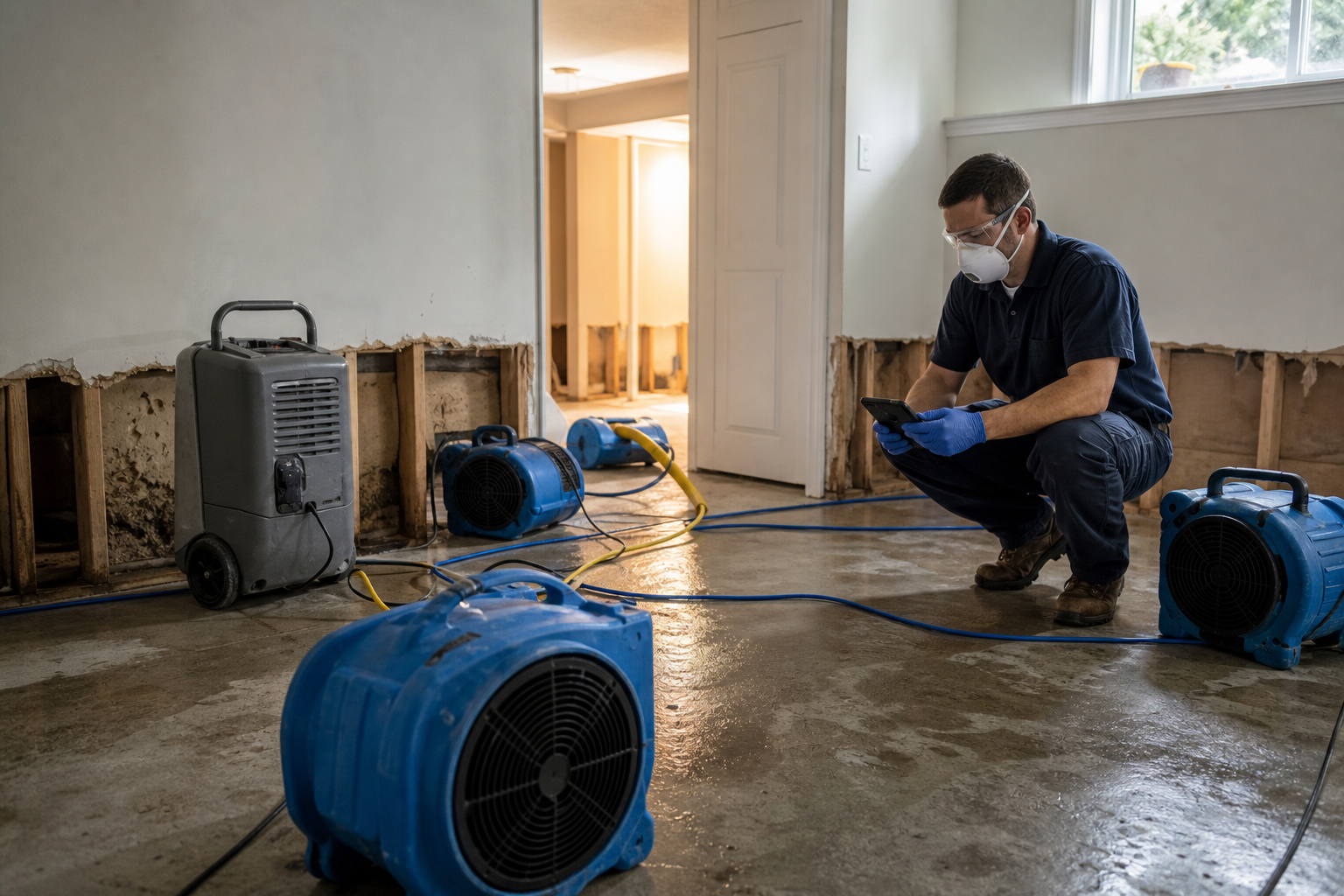




Without Documentation, You're Exposed
Restoration contractors live and die by claim documentation. Here's what's at stake when it's missing.
Denied & Shorted Claims
Adjusters cut line items they can't see. If the standing water, the saturated drywall, and the Category 3 source weren't photographed before mitigation started, the carrier pays for what's visible after — and your invoice gets shorted by thousands.
Scope Disputes After Demo
Once the flood cuts are made and the flooring is gone, you can't re-prove it was necessary. Homeowners dispute the demo, carriers question the scope, and without dated photos of the damage each removal addressed, supplements die on the adjuster's desk.
Liability for Secondary Damage
Mold shows up six months later and the homeowner says your drying failed. Without documented moisture readings and daily drying logs tied to photos, you can't prove the structure hit dry standard before you demobilized — and now it's your problem.
How It Works
Three simple steps to organized, professional documentation.
Document the Loss First
Before extraction or demo, capture the full loss: source, standing water, affected materials, contents, pre-existing conditions. Every photo automatically timestamped and geotagged.
Track Mitigation Daily
Photos organized by job and stage: loss condition, extraction, demo, equipment placement, daily moisture readings, dry confirmation. Notes keep every reading in context.
Report & Share
Generate professional PDF reports in minutes. Send loss documentation and drying records to adjusters, TPAs, and homeowners straight from the jobsite.
Built for Restoration Contractors
Every feature designed to save you time and protect your business.
Timestamped Loss Photos
Every photo captures date, time, and GPS automatically: proof of the loss condition before mitigation, demo scope, and daily progress that carriers accept.
Mitigation Stage Categories
Organize photos by phase: loss condition, source, extraction, demo, containment, equipment placement, daily readings, dry confirmation, rebuild. Every IICRC step documented.
Adjuster-Ready Reports
Generate PDF reports that support your Xactimate line items with photo evidence. Fewer questions, fewer shorted invoices, faster payment.
Automatic Cloud Backup
Every photo from every tech backed up automatically. The claim file survives broken phones and crew turnover.
Share with Adjusters & TPAs
Send documentation packages to adjusters, TPAs, property managers, and homeowners via email or text link, same day as the loss.
Built for Active Losses
Fully offline capable, fast capture with gloves on. Works in flooded basements and burned structures with no signal. Syncs when you're back in coverage.
Real-World Use Cases
See how restoration contractors use Fieldpost on every job.
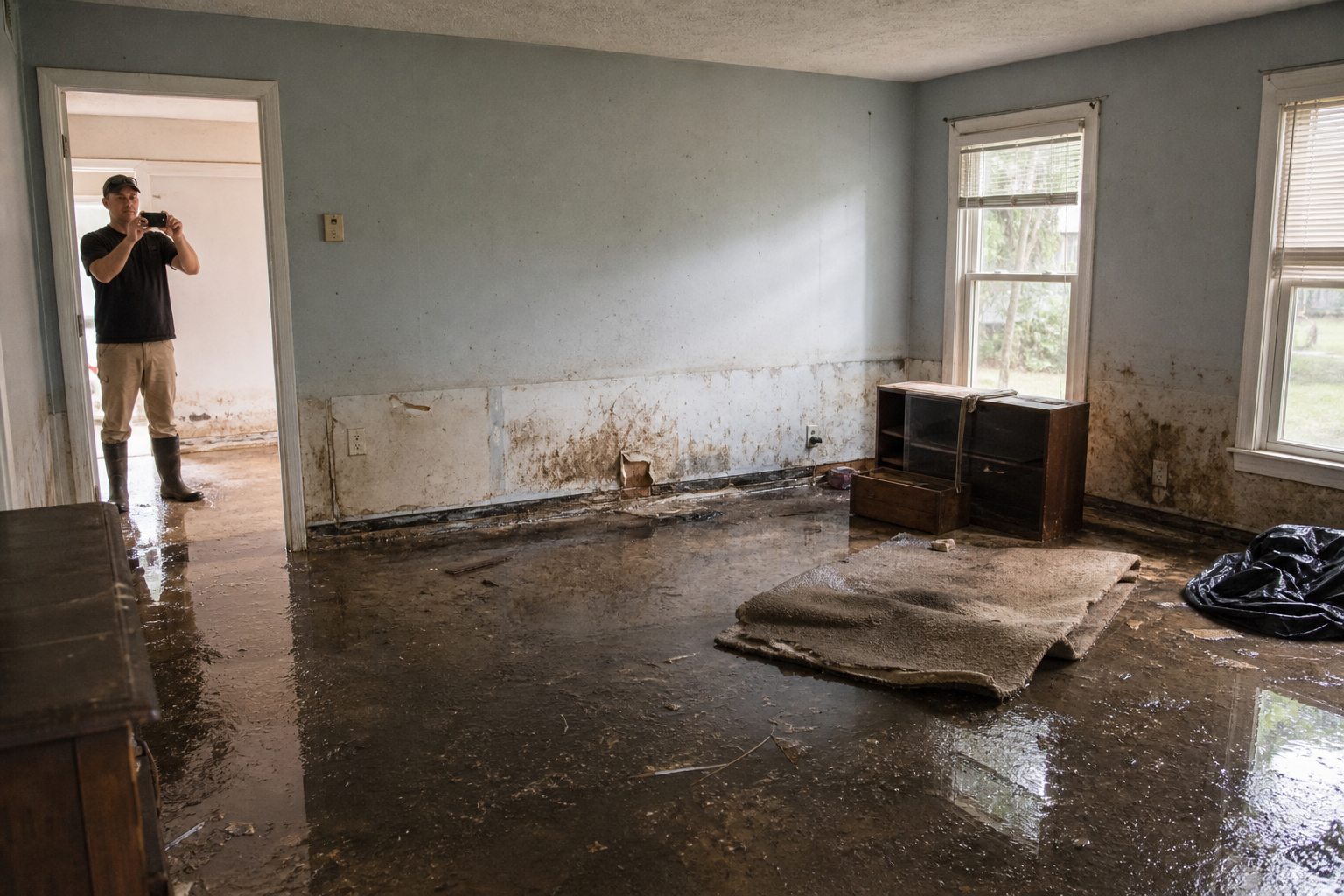
Pre-Mitigation Loss Documentation
The first hour on a loss sets the ceiling on the claim. Document the source, standing water, water lines on the walls, saturated materials, affected contents, and category before a single air mover starts. These timestamped photos are what get every Xactimate line item paid — extraction, antimicrobials, contents manipulation, demo. What isn't photographed before mitigation effectively didn't happen.
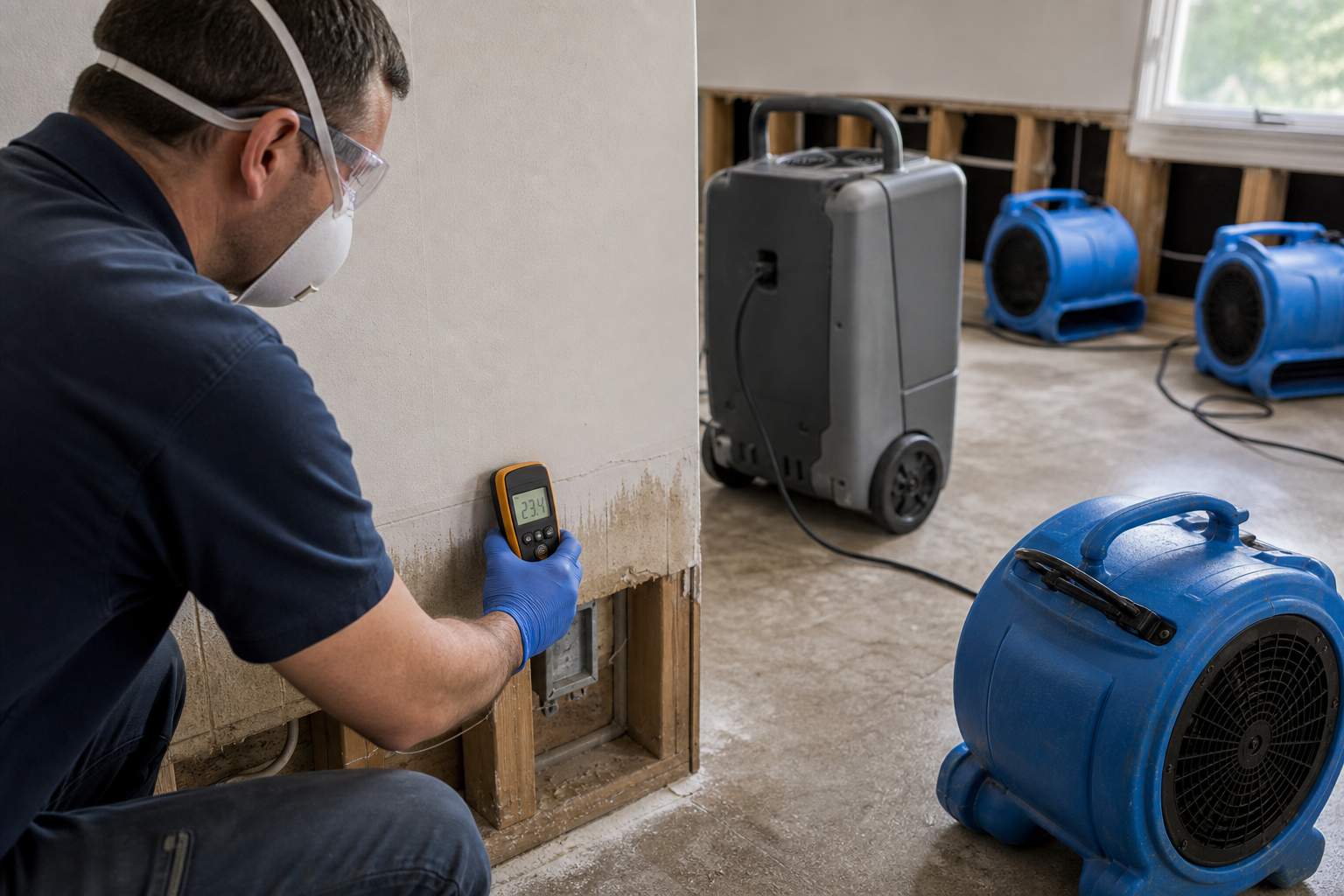
Daily Drying Logs & Moisture Records
Photograph moisture meter readings, equipment placement, and psychrometric conditions every day of the dry-out. Tie readings to specific locations with annotated photos. When the structure hits dry standard, you have a dated record proving it — your defense against the mold call six months later, and your justification for every day of equipment rental on the invoice.
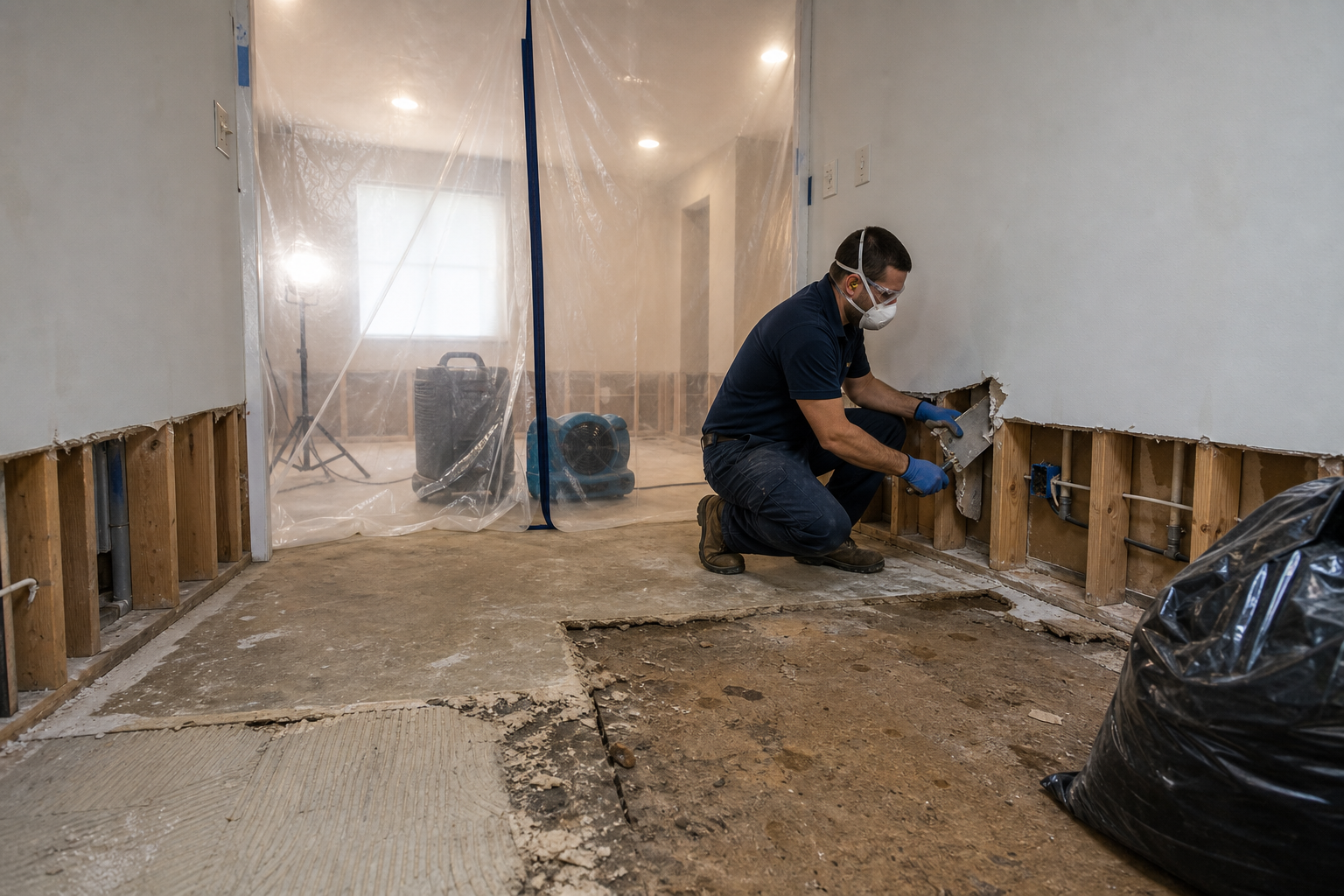
Demo Scope & Supplement Support
Before each flood cut and flooring removal, photograph the damage that justifies it: swollen baseboard, saturated drywall, wet insulation, microbial growth. When you find hidden damage mid-demo, document it immediately and submit the supplement with photo evidence the same day. Supplements with organized photos get approved; supplements without them get debated.
Stop getting shorted on invoices you earned.
30 days free. Document your next loss and see how much smoother the claim goes.
Start Free TrialFree for 30 days. No credit card required.
Frequently Asked Questions
Questions restoration contractors ask before getting started.
Will adjusters and TPAs accept Fieldpost documentation?
Yes. Every photo is timestamped and geotagged automatically, and reports organize photos by room and mitigation stage — the format adjusters work in. Restoration contractors use Fieldpost packages for initial claims, supplements, and invoice disputes with carriers.
Can I document moisture readings alongside photos?
Yes. Photograph the meter on the material and add the reading, location, and material type as a note on the photo. Day over day, that builds a drying log tied to visual evidence — much stronger than numbers on a clipboard.
How fast can I get loss documentation to an adjuster?
Same visit. Capture the loss, select the photos, and Fieldpost generates a branded PDF in under 2 minutes that you can email from the driveway. First documentation to the adjuster usually frames the claim.
Does it work in flooded basements with no signal?
Yes. Fieldpost works fully offline. Capture photos, add notes, and organize by job from anywhere. Everything syncs automatically when you're back in coverage.
How is this different from the camera roll on my phone?
Camera roll photos aren't organized by loss, aren't backed up when a phone dies in a wet crawlspace, and can't become an adjuster-ready report without an hour at a desk. Fieldpost organizes by job and stage automatically and generates the report in minutes.
Can my whole mitigation crew document to the same loss?
Yes. Plans start at 3 users for $25/month, with additional users at $10/month. Every tech documents to the same job in real time, so the project manager sees the loss while the crew is still on site. No annual contracts.
Common Restoration Contractors Workflows
See how restoration contractors document specific scenarios.
Restoration & Remediation Tracking
Loss-to-completion records for every mitigation job.
Learn moreInsurance Claim Support
Photo packages that support every Xactimate line item.
Learn moreStorm & Emergency Damage Documentation
Rapid capture when CAT events hit and losses stack up.
Learn morePre-Existing Damage Documentation
Separate the loss from what was already there.
Learn moreCustomer Progress Updates
Professional progress reports that keep clients off your phone.
Learn moreDaily Jobsite Progress Tracking
Daily photo records of crew progress, site conditions, and work completed.
Learn moreOther Trades We Serve
Fieldpost is built for teams across the trades.
Roofing Contractors
Storm damage claims, tear-off condition records, and warranty-ready install documentation.
View industry pagePlumbing Companies
Rough-in records, pressure test proof, and water damage liability protection.
View industry pageGeneral Contractors
Coordinate documentation across every trade, hold subs accountable, and keep owners updated on every phase.
View industry pagePainting & Finishing Contractors
Pre-paint condition records, surface prep documentation, and final walkthrough proof.
View industry pageCleaning & Pressure Washing
Pre-existing damage documentation and before-and-after photos that win commercial contracts.
View industry pageStart Documenting Your Restoration Jobs Today
Join restoration contractors that get paid in full with organized, professional loss documentation.
Free for 30 days. No credit card required.